Website UX, Speed and Conversion Optimization
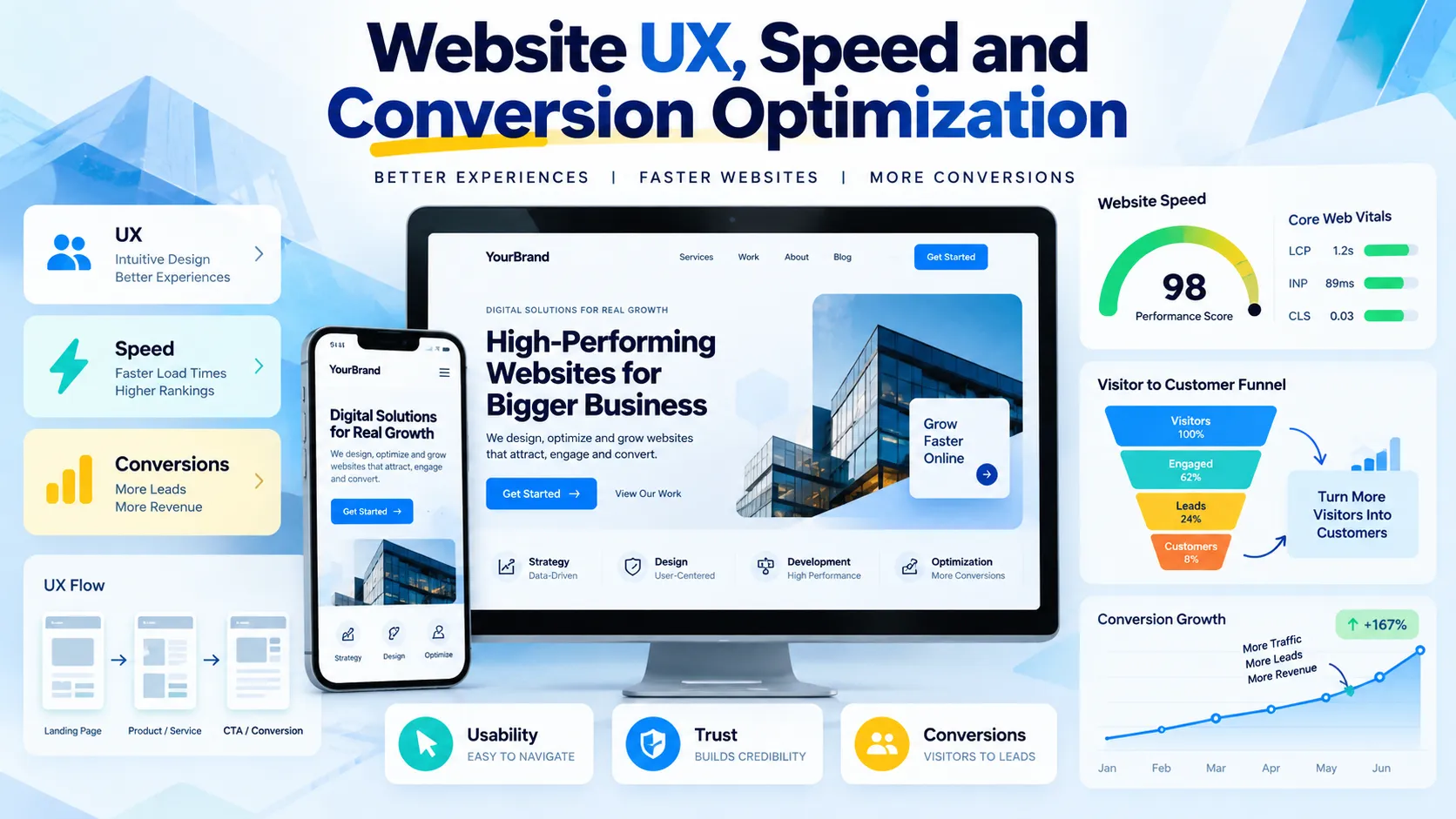
A faster website is not enough: website conversion optimization combines clearer journeys, useful content, accessible design, and reliable performance to help more visitors take meaningful action.
Website UX, speed, and conversion optimization work together to improve how visitors discover information, interact with a website, and become customers. This guide explains Core Web Vitals, usability research, landing page design, form improvements, analytics, and testing methods that help businesses identify friction and make evidence-based improvements.
What Is Website Conversion Optimization?
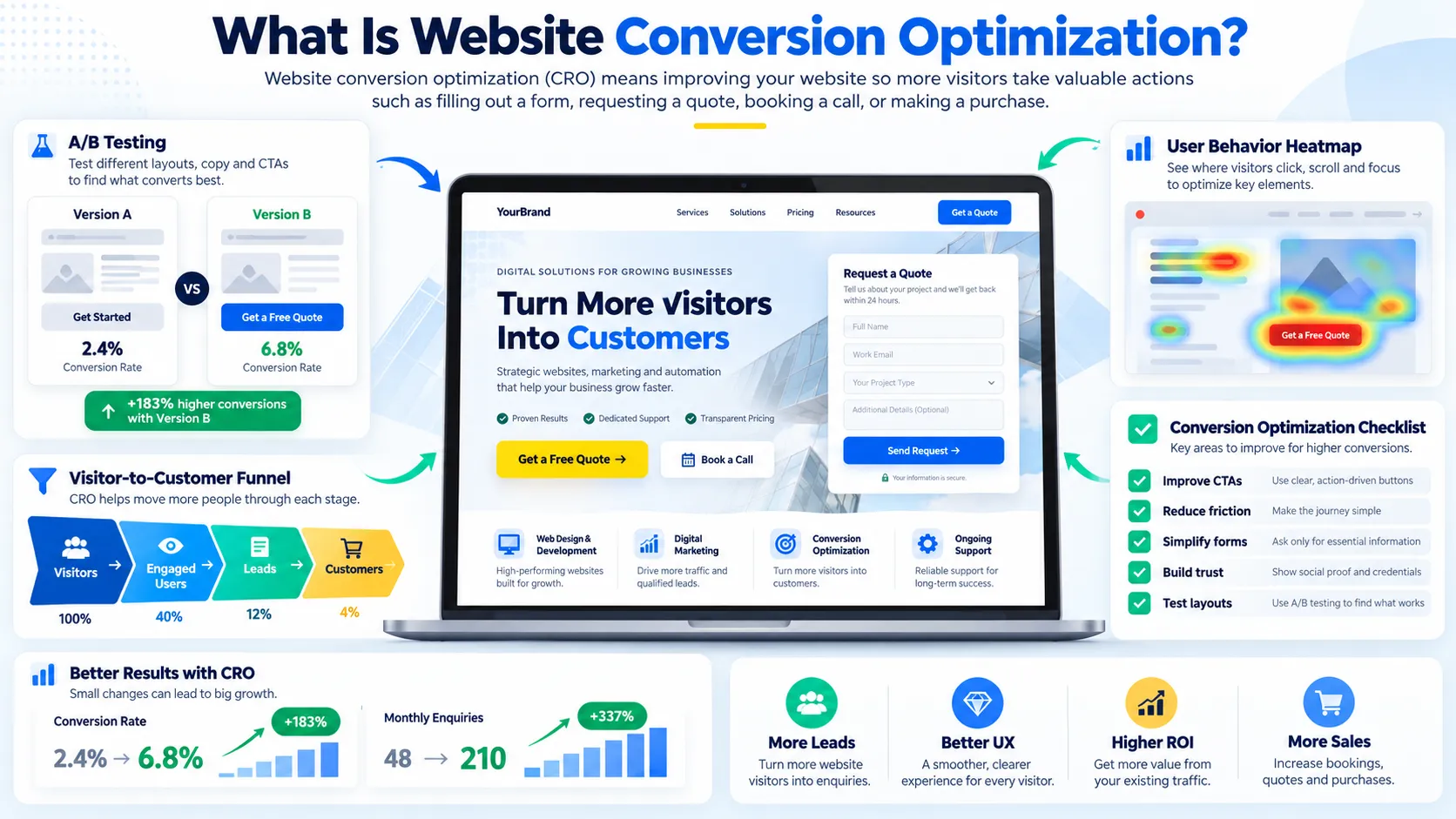
Website conversion optimization is the process of improving a website so more visitors complete meaningful actions, such as requesting a quotation, booking a consultation, subscribing to a newsletter, or purchasing a product.
It combines user experience (UX), website performance, content clarity, persuasive design, analytics, and experimentation. Rather than assuming that a website needs a complete redesign, businesses investigate how visitors behave and identify the changes most likely to improve outcomes.
For example, a service business might attract substantial organic traffic but receive few enquiries. The problem could be an unclear headline, a difficult contact form, slow mobile performance, insufficient trust signals, or a mismatch between the visitor’s search intent and the page content.
Website conversion optimization investigates these possibilities systematically. It helps businesses understand where visitors experience friction, which improvements deserve priority, and whether those changes produce measurable results.
The objective is not simply to increase clicks. A successful optimization program helps the right visitors complete valuable actions while maintaining a trustworthy and accessible experience.
GrowthAxis Solutions connects website design, technical performance, and digital marketing through its Business Website Design service. Businesses can use this guide to identify opportunities before investing in a redesign or ongoing optimization.
Why UX, Website Speed, and Conversion Rate Matter Together
Visitors evaluate a website as one connected experience. They do not separate the loading process from the navigation, the navigation from the content, or the content from the enquiry form.
A page might load quickly but communicate its offer poorly. Another page might have persuasive copy but take too long to display its main content. A third might explain the service clearly but make contacting the business unnecessarily difficult.
Each weakness can interrupt the customer journey.
User Experience Helps Visitors Make Decisions
User experience describes how people interact with a digital product and how effectively it supports their goals. Website UX includes navigation, information architecture, readability, accessibility, interaction design, error handling, and the clarity of the next step.
A useful website anticipates common questions. Visitors should understand what a business offers, whether the service suits their needs, what happens next, and how to obtain additional information.
For a software development agency, this may mean separating services into clear pages, explaining the development process, describing relevant deliverables, and making consultation requests straightforward.
A website that forces visitors to interpret vague service descriptions or search through several unrelated pages creates unnecessary cognitive effort.
Website Speed Reduces Waiting and Friction
Performance affects the moment when visitors can see and use important content. Large images, excessive JavaScript, slow server responses, third-party scripts, and inefficient rendering can delay that experience.
Google’s Core Web Vitals documentation identifies loading performance, responsiveness, and visual stability as important aspects of real-world user experience.
A faster page does not automatically convert more visitors. However, removing unnecessary delays can make it easier for users to view services, compare options, interact with forms, and complete purchases.
Conversion Optimization Connects Improvements to Outcomes
Conversion optimization examines whether the website helps visitors complete the action that matters to the business.
For a service company, that action may be a qualified enquiry. For an online retailer, it may be a completed purchase. For a SaaS company, it may be a trial registration or a booked product demonstration.
A strong website conversion optimization program measures the complete journey rather than focusing on an isolated button or page.
The HubSpot conversion rate optimization guide discusses experimentation, user feedback, landing pages, and analytics as parts of a systematic CRO process. Its central lesson is practical: identify what needs improvement, form a testable hypothesis, and measure the outcome.
How to Measure Website Speed With Core Web Vitals
Core Web Vitals provide standardized measurements of key user-experience outcomes. Google recommends good results for these metrics, while also explaining that strong scores alone do not guarantee higher search rankings.
The current metrics and their recommended targets are:
| Metric | Good target and meaning |
|---|---|
| Largest Contentful Paint (LCP) | 2.5 seconds or less; measures how quickly the main content appears |
| Interaction to Next Paint (INP) | Less than 200 milliseconds; measures responsiveness to user interactions |
| Cumulative Layout Shift (CLS) | 0.1 or less; measures unexpected visual movement |
These thresholds apply to the 75th percentile of page visits, rather than requiring every visit to meet the target. Google’s Core Web Vitals guidance explains how the metrics work and how to interpret them.
Improve Largest Contentful Paint
LCP measures when the largest visible image or text block finishes rendering. It often highlights delays affecting the main content visitors expect to see.
Begin by identifying the LCP element on the page. On a business website, this might be a hero image, a large heading, or a prominent content section.
If an oversized hero image causes the delay, compressing it, selecting a suitable format, and delivering the correct dimensions may help. If the server responds slowly, investigate hosting performance, caching, backend processing, and time to first byte.
Avoid lazy-loading the main image if that prevents it from starting to load promptly. Reserve lazy loading for appropriate images further down the page.
The goal is to make the primary content available quickly without sacrificing image quality or readability.
Improve Interaction to Next Paint
INP measures how responsive a page feels when visitors interact with it. A page may appear visually loaded while still responding slowly to clicks, keyboard input, or other actions.
Excessive JavaScript, long-running tasks, unnecessary third-party scripts, and inefficient event handlers can contribute to poor responsiveness.
Developers should inspect slow interactions using browser performance tools and identify which tasks block the main thread. They can then reduce unnecessary work, divide long tasks, optimize event handlers, or defer scripts that do not need to run immediately.
Pay particular attention to navigation menus, enquiry forms, pricing calculators, and interactive components that visitors need to use before converting.
Improve Cumulative Layout Shift
CLS measures unexpected movement of visible elements during page loading. A button that shifts just as someone tries to click it creates a frustrating experience.
Common causes include images without reserved dimensions, dynamically inserted content, late-loading advertisements, and web fonts that significantly change the layout.
Reserve space for media, control the dimensions of embedded content, and avoid inserting new elements above existing content without accounting for their effect.
Visual stability matters particularly on mobile devices, where a small layout shift can move a button or form field away from the user’s intended target.
How to Improve Site Speed Without Sacrificing Design
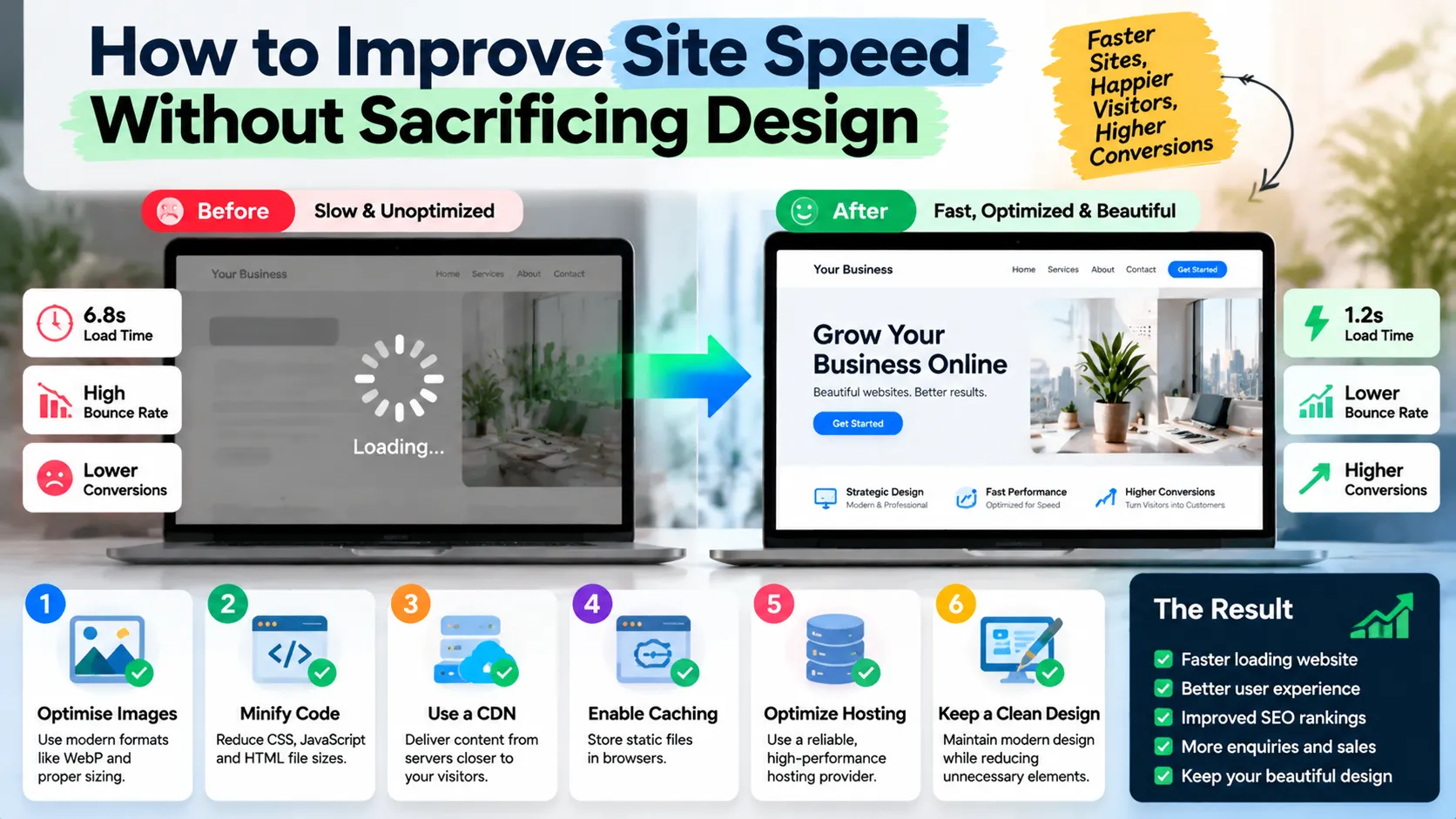
The most effective performance improvements address the actual causes of delay. Adding another optimization plugin or changing hosting providers without investigating the problem may create cost without solving the underlying issue.
Optimize Images and Media
Images often account for a substantial portion of page weight, especially on visually rich business websites.
Use appropriate image dimensions, modern formats where supported, and compression that preserves acceptable visual quality. Provide responsive image variants so mobile visitors do not download unnecessarily large desktop assets.
Use video carefully. Autoplaying background video, large animation files, and several embedded media players can increase loading costs. Consider a lightweight poster image and load the video when a visitor chooses to play it.
Reduce Unnecessary JavaScript and CSS
Audit scripts, stylesheets, plugins, tracking tools, chat widgets, and external embeds. Remove components that no longer serve a clear purpose.
Minification and compression can reduce transfer size, while code splitting and deferred loading can reduce unnecessary work during the initial page render. These techniques require appropriate testing because poorly implemented changes can break functionality.
Do not remove accessibility features, analytics required for business reporting, or essential interactions simply to improve a score.
Improve Caching and Server Response
Caching can reduce repeated processing and help deliver frequently requested resources more efficiently. Depending on the website, useful measures may include browser caching, server-side caching, a content delivery network, and database optimization.
The correct approach depends on the hosting environment and the type of content being served. Dynamic pages, logged-in areas, ecommerce carts, and personalized content require careful cache configuration.
Use Performance Tools Correctly
Start with Google PageSpeed Insights to inspect a specific URL. Review both field data, when available, and diagnostic results from controlled tests.
Field data helps show how real users experience a page. Lab tests help developers reproduce and investigate potential problems.
A high Lighthouse score does not guarantee strong conversion performance, and a single low score does not automatically justify a full rebuild. Prioritize issues that affect real visitors and important business journeys.
For ongoing technical work, GrowthAxis Solutions provides Website Maintenance, which includes performance monitoring, updates, health checks, and recommendations for continued improvement.
How to Improve User Experience Across the Customer Journey
Make Navigation Predictable
Visitors should be able to identify the main sections of a website without guessing. Use familiar navigation labels, group related pages, and make important services easy to find.
Avoid creating menus with too many competing options. A service business should distinguish its core offerings from company information, resources, and secondary destinations.
Navigation should work consistently on mobile and desktop. Test menus with a keyboard as well as a pointer, and ensure that focus states remain visible.
Improve Readability and Content Structure
Clear content helps visitors understand the offer and decide whether it meets their needs.
Use descriptive headings, concise paragraphs, meaningful examples, and explanations of technical terms. Place essential information where visitors can find it without excessive scrolling.
The page should answer the questions that matter to its audience. A service page may need to explain scope, process, suitability, timelines, limitations, and the next step. A product page may need specifications, pricing, compatibility information, delivery details, or return conditions.
Avoid filling pages with generic promotional language that does not explain the actual service.
Design for Accessibility
Accessibility helps people with different abilities use a website. It also improves clarity for visitors using different devices, input methods, and viewing conditions.
Follow the W3C Web Content Accessibility Guidelines. Use readable contrast, meaningful headings, descriptive link text, labelled form controls, keyboard-operable interactions, and appropriate alternative text for informative images.
Do not rely on colour alone to communicate an error or status. Provide clear feedback when a visitor submits a form or encounters a problem.
Accessibility is not merely a final audit. It should inform design and development decisions from the beginning.
How to Improve Conversion Rate on Business Websites
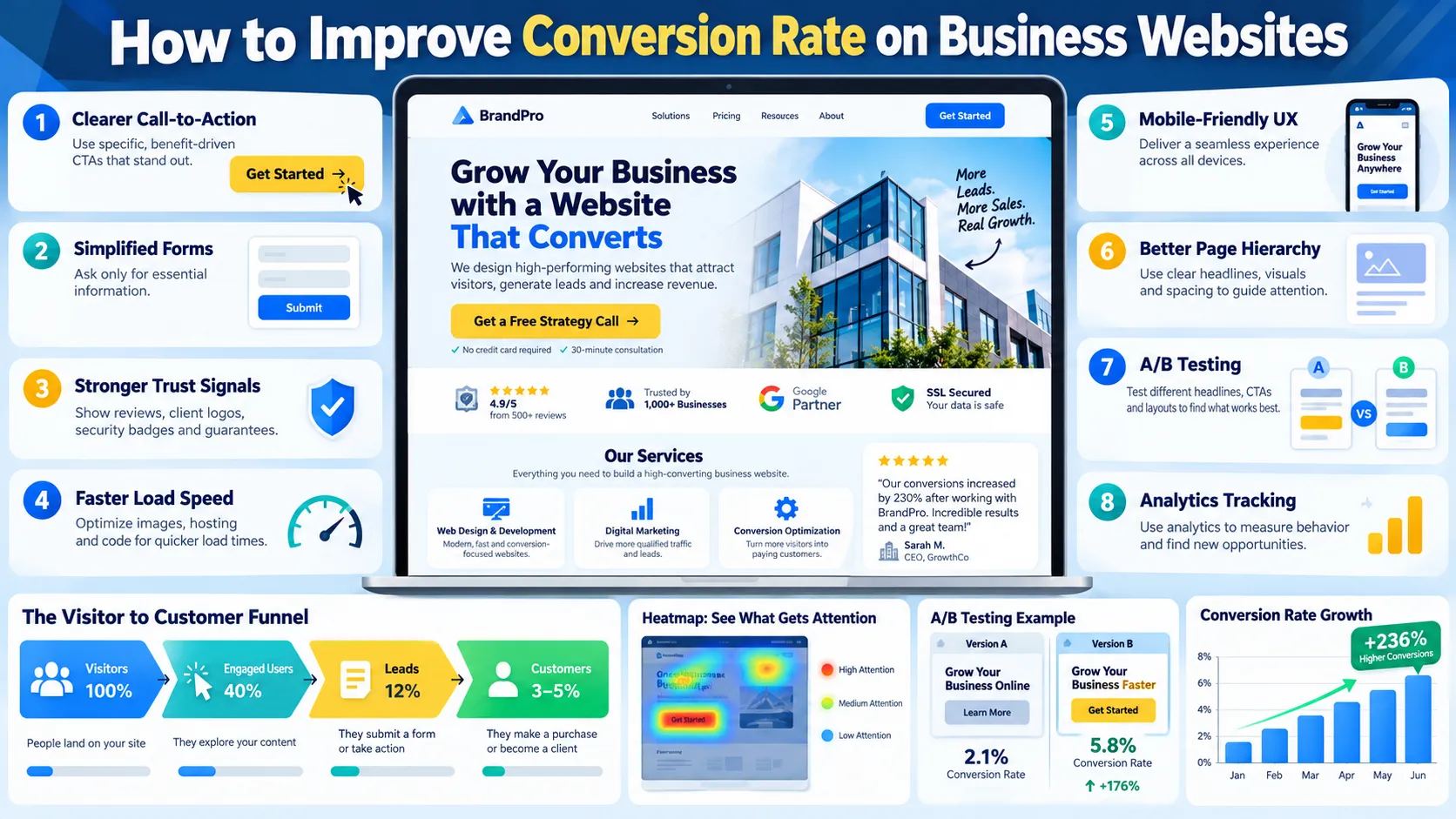
Conversion rate is the percentage of eligible visitors or sessions that complete a defined action. The calculation depends on the measurement method, but a common formula is:
[
\text{Conversion Rate} =
\frac{\text{Conversions}}{\text{Eligible Visitors}}\times100
]
Suppose a service page receives 2,000 eligible visitors and generates 40 completed enquiry forms. Its visitor-based conversion rate is 2%.
If a later period generates 60 enquiries from the same number of eligible visitors, the rate becomes 3%. That represents 20 additional enquiries and a one-percentage-point increase, assuming the measurement method and traffic conditions remain comparable.
This example illustrates the calculation, not a promised result. Real outcomes depend on traffic quality, seasonality, the offer, the audience, and many other variables.
Clarify the Value Proposition
The main headline should help visitors understand what the business offers and why it may matter to them.
A vague headline such as “Building a Better Future” does not explain a service. A more specific statement, such as “Custom Websites for Businesses That Need More Qualified Enquiries,” provides clearer context.
Support the headline with a concise explanation of the service, its intended audience, and the problem it addresses. Make sure the claim accurately represents what the business delivers.
Use Clear Calls to Action
A call to action should explain what happens next. Examples include requesting a quote, booking a consultation, viewing a service, or downloading a relevant guide.
The wording should match the visitor’s readiness. Someone exploring an educational article may prefer to read a related resource, while someone comparing providers may be ready to discuss a project.
Make the primary action visually identifiable, but avoid placing so many competing buttons on the page that visitors struggle to choose.
Reduce Form Friction
Forms should request the information needed to move the conversation forward, not every detail the business might eventually want.
For a simple consultation request, a name, email address, and short project description may be sufficient. A more complex service may need additional qualification questions, but those questions should have a clear purpose.
Provide useful labels, explain required fields, show errors next to the relevant inputs, and preserve information when appropriate. Test form submission on mobile devices and confirm that enquiries reach the correct destination.
Baymard Institute’s 2025 checkout UX research found that 64% of desktop sites and 63% of mobile sites in its benchmark had mediocre-or-worse checkout UX. These findings apply to the ecommerce sites studied, not all websites, but they demonstrate that even established businesses can leave significant usability problems unresolved.
Strengthen Trust at the Decision Point
Visitors may hesitate when a website does not provide enough evidence to support its claims.
Use genuine testimonials, relevant case studies, transparent business information, accurate service descriptions, and clear privacy information where appropriate. Explain the process and what customers should expect after contacting the company.
Avoid fabricated reviews, misleading guarantees, and decorative trust badges that do not represent a real certification or verification.
Website conversion optimization should make the decision easier through credible information rather than pressure or manipulation.
Landing Page Optimization for Better Results
Landing pages often serve visitors arriving from a specific advertisement, email, search query, or campaign. Their message should closely match the expectation that brought the visitor there.
Match the Page to Search Intent
A visitor searching for information about website speed may want an explanation and diagnostic steps. A visitor searching for a website performance audit may want a professional assessment. A visitor comparing providers may want evidence of expertise, service scope, and pricing information.
The page should satisfy the relevant intent rather than forcing every visitor into the same sales process.
This is where landing page optimisation and landing page optimization support both user experience and commercial outcomes. The terminology differs by region, but the underlying goal is to make the destination relevant, understandable, and easy to use.
Remove Unnecessary Distractions
A focused landing page should help visitors understand the offer and complete the intended action. Remove unrelated promotional sections, confusing navigation paths, and repetitive content that does not support the decision.
This does not mean every landing page must hide the main navigation. The right structure depends on whether visitors need to explore additional information before they feel ready to act.
A high-consideration B2B service may require detailed evidence and links to case studies. A simple downloadable resource may need only a short explanation and a form.
Align the Advertisement and Destination
If an advertisement promotes a specific service or offer, the landing page should continue that message. Visitors should not have to search the entire website to find the information promised in the advertisement.
Keep the wording, offer, imagery, and next step consistent. When the destination differs significantly from the advertisement, visitors may lose confidence or leave.
How to Build a Data-Driven Conversion Optimization Process
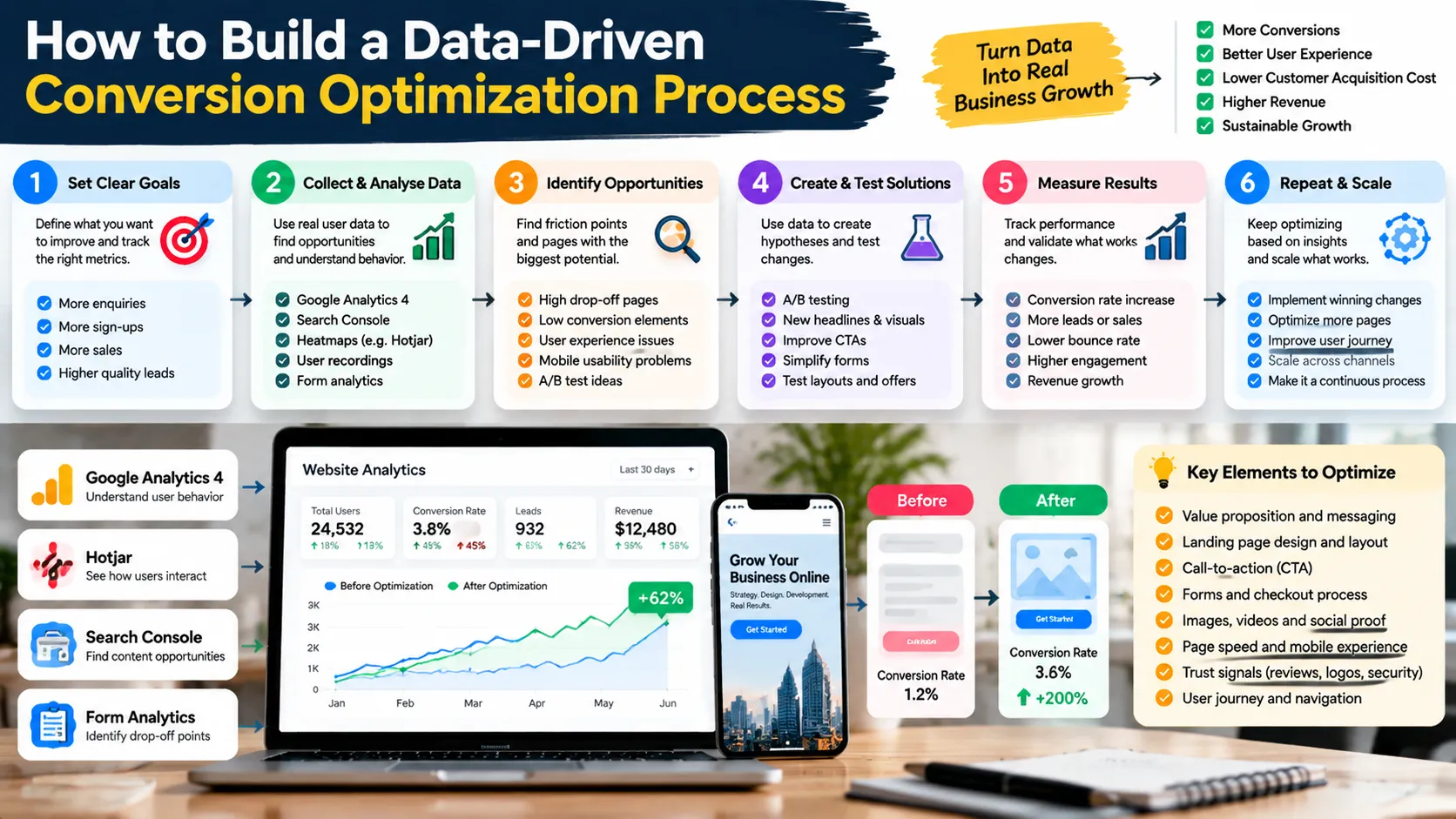
Effective optimization begins with evidence, not random changes to colours, button sizes, or headlines.
CXL’s conversion research framework recommends gathering technical, analytics, usability, and qualitative evidence to develop testable hypotheses. This approach is useful because analytics can show where visitors struggle, while user research can help explain why.
Establish a Reliable Baseline
Before changing a page, confirm that analytics records the intended actions correctly. Check whether form submissions, purchases, bookings, and other conversions have clear definitions.
Compare results by device, traffic source, landing page, and audience where the available data supports meaningful comparisons. An overall average may conceal a serious problem affecting one important segment.
For example, desktop visitors may complete a form successfully while mobile visitors encounter a layout issue. Combining both groups can make the problem harder to identify.
Investigate the Cause Before Choosing a Solution
Use performance diagnostics, analytics, user feedback, usability walkthroughs, and session recordings where lawful and appropriately configured.
Look for evidence such as repeated errors, abandoned forms, confusing navigation, slow interactions, unclear messaging, or mismatches between the advertisement and the landing page.
A hypothesis should identify the problem, the proposed change, and the expected outcome. For example: “Clarifying the service headline should increase qualified enquiries because visitors will understand the offer more quickly.”
This statement can be tested against actual performance rather than accepted as a fact.
Prioritize by Impact and Effort
Not every improvement deserves equal priority. Fixing a broken enquiry form may be more valuable than redesigning a decorative section. Correcting a serious mobile usability problem may matter more than changing a minor visual detail.
Use the following framework to organize the first round of work.
| Opportunity | Evidence and first action |
|---|---|
| Slow main content | Inspect LCP, image size, server response, and render-blocking resources |
| Unresponsive interactions | Examine INP, JavaScript tasks, and form or menu behavior |
| Confusing page messaging | Review search intent, user questions, headline clarity, and service descriptions |
| Low form completion | Test field requirements, validation, mobile layout, and submission reliability |
| Weak landing-page performance | Compare traffic sources, offer alignment, CTA clarity, and conversion events |
This framework helps teams choose a manageable set of changes and connect each action to an observable problem.
Test Changes and Record the Results
When traffic levels and tooling allow, A/B testing can compare two versions of a page or element. Choose a primary metric before the test begins, and avoid changing many unrelated variables simultaneously.
Run the experiment long enough to collect useful evidence. Low traffic, inconsistent campaign conditions, and small samples can make results inconclusive.
For sites without sufficient traffic for reliable A/B tests, usability testing and structured before-and-after analysis can still identify valuable improvements. Document the change, the evidence supporting it, the result, and any limitations.
Rapid Website Audit Checklist
Use this checklist to identify practical priorities before redesigning a page or investing in a larger optimization project.
- Performance: Check LCP, INP, CLS, image weight, server response, and important mobile pages using PageSpeed Insights and available field data.
- Usability: Test navigation, readable content, keyboard access, form labels, error messages, and essential interactions on mobile and desktop.
- Messaging: Confirm that each important page explains its purpose, matches visitor intent, and presents an understandable next step.
- Conversion tracking: Verify that important actions are measured accurately and that form submissions or purchases reach the intended destination.
- Trust: Check contact details, genuine evidence, transparent service descriptions, privacy information, and consistency between advertisements and landing pages.
- Prioritization: Record each problem, its evidence, likely business impact, implementation effort, and the method you will use to evaluate improvement.
After completing the audit, select a small number of high-priority problems. Fixing a handful of significant issues and validating the results is often more useful than changing the entire website at once.
Common Mistakes to Avoid
Website conversion optimization can become ineffective when businesses focus on superficial improvements rather than the reasons visitors struggle. Avoid these common mistakes:
- Chasing a perfect performance score: Improve real user experience and important business journeys instead of pursuing a score without understanding the problem.
- Copying competitors without research: A competitor’s design may reflect a different audience, offer, or business model. Test changes against your own requirements.
- Changing too many elements at once: When several variables change together, it becomes difficult to identify which change contributed to the result.
- Optimizing for clicks instead of customer quality: A higher click-through rate may not help if the page attracts irrelevant enquiries or creates unprofitable sales.
- Ignoring mobile forms: A form that works on a desktop may still be difficult to complete on a phone.
- Treating every conversion as equally valuable: A qualified consultation request may be more valuable than a low-intent newsletter signup. Measure the actions that support your business goals.
- Forgetting ongoing maintenance: Plugins, scripts, integrations, and content can introduce new performance or usability problems over time.
Expert Tips for Sustainable Conversion Growth
Start with the pages that matter most to the business. For a service company, these might include the homepage, highest-traffic service pages, and pages receiving paid campaign traffic. For an ecommerce business, product pages, cart interactions, and checkout deserve particular attention.
Connect search performance with conversion performance. Google Search Console can show which queries generate impressions and clicks, while Google Analytics 4 can help measure configured website actions. Together, these tools can reveal whether a page attracts relevant visitors and whether those visitors take the intended next step.
Use customer feedback to interpret the numbers. Analytics may identify a high abandonment rate, but a brief usability session may reveal that visitors cannot find the price, understand the offer, or correct a form error.
Prioritize improvements that reduce genuine friction. Better headlines, clearer navigation, simpler forms, faster content delivery, and credible evidence often deserve attention before decorative redesigns.
Finally, maintain a record of what you learn. A test that fails to improve conversion can still provide useful information about audience preferences, message clarity, or page structure. The objective is to build a repeatable process that improves decisions over time.
For businesses that need a coordinated approach to website structure, technical performance, and search visibility, GrowthAxis Solutions provides Business Website Design, Website Maintenance, and SEO & AI Search services. The appropriate scope depends on the website’s current condition, audience, and goals.
Conclusion
Website conversion optimization combines clear UX, fast performance, useful content, and measurable experimentation to help visitors complete meaningful actions. Start by diagnosing real problems, prioritize improvements by business impact, and validate changes using reliable data. If your website attracts visitors but struggles to generate enquiries or sales, explore GrowthAxis Solutions’ website design service to identify practical next steps.
Frequently Asked Questions
1. What is website conversion optimization?
Website conversion optimization is the process of improving a website so a greater proportion of eligible visitors complete a desired action. That action might be a purchase, consultation request, form submission, booking, or registration. The process uses analytics, user research, UX improvements, and testing to identify and reduce barriers to conversion.
2. How does website speed affect conversion rates?
Slow pages can delay access to important information and make interactions feel frustrating. This can discourage visitors from exploring services or completing forms. Improving loading performance, responsiveness, and visual stability can make the experience more usable, although the actual conversion impact depends on the audience, offer, traffic quality, and other conditions.
3. What are Core Web Vitals?
Core Web Vitals are Google’s metrics for key aspects of real-world page experience. They measure loading performance through LCP, responsiveness through INP, and visual stability through CLS. Google recommends an LCP of 2.5 seconds or less, INP below 200 milliseconds, and CLS of 0.1 or less at the 75th percentile of page visits.
4. What is a good website conversion rate?
There is no universal conversion rate that suits every business. Results vary according to industry, offer, traffic source, audience, device, price, and the definition of a conversion. Compare performance with your own historical baseline and relevant industry data, while also measuring lead quality, customer acquisition cost, and revenue.
5. How can I improve conversion rates without increasing website traffic?
Start by examining high-value pages and identifying barriers that prevent existing visitors from completing the intended action. Improve the headline, service clarity, mobile usability, form design, trust evidence, and landing-page relevance. Measure the effect of each change and prioritize improvements that generate more qualified outcomes rather than simply increasing clicks.
6. What is the difference between UX optimization and conversion optimization?
UX optimization improves the overall experience of using a website, including navigation, accessibility, readability, and interaction design. Conversion optimization focuses on improving the completion of a defined business action. The two disciplines overlap because a clearer, more usable experience can remove obstacles that prevent visitors from converting.
7. How do I improve landing page optimization?
Begin by matching the page to the visitor’s intent and the promise made by the referring advertisement or search result. Present a clear headline, explain the offer, provide credible supporting evidence, and make the next step easy to understand. Then test the page using relevant analytics, user feedback, and experiments where sufficient data exists.
8. Which tools can I use to audit website speed and UX?
Google PageSpeed Insights helps assess performance and Core Web Vitals. Google Search Console provides search-performance and eligible page-experience reports, while Google Analytics 4 can measure configured conversion events. Usability testing, customer interviews, and session-analysis tools can provide additional context about why visitors experience difficulty.
9. How often should I perform website conversion optimization?
Review key performance metrics regularly and conduct a more structured audit when important pages underperform, the website changes, or customer behavior shifts. The exact schedule depends on traffic, business risk, and available resources. High-traffic campaigns may need frequent monitoring, while smaller sites can use periodic reviews and targeted usability checks.
10. Should I hire an agency for website conversion optimization?
An agency can help when your team lacks technical expertise, UX research capacity, performance optimization skills, or reliable conversion measurement. Before hiring one, clarify the audit scope, proposed changes, measurement plan, deliverables, and ongoing support. GrowthAxis Solutions offers website design, maintenance, and SEO services that can support a coordinated improvement plan based on your business needs.