Custom Software Development for Businesses
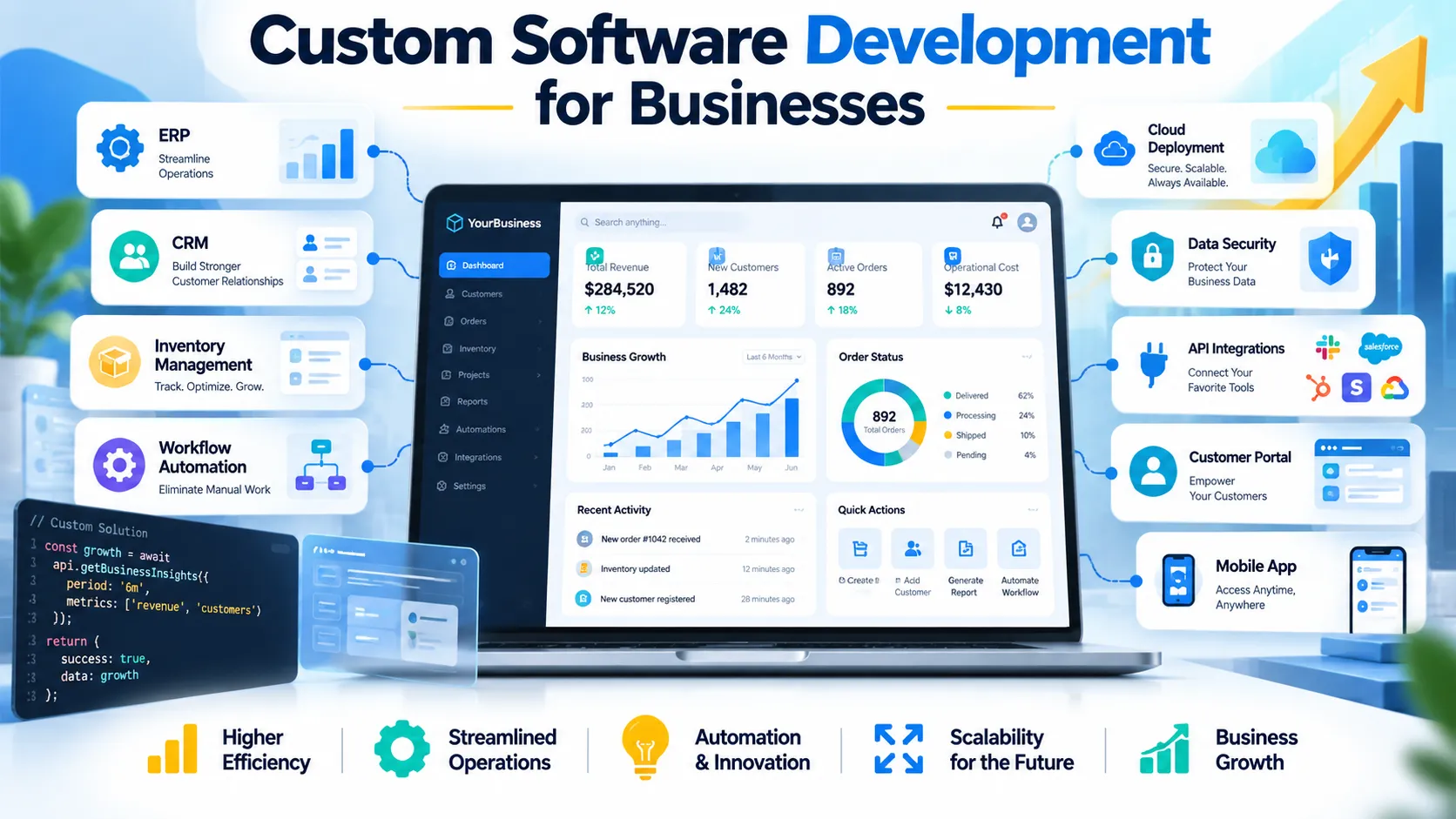
Custom software development for businesses helps companies solve distinctive operational problems, connect systems, and build digital products that fit real workflows instead of forcing compromises.
Custom software can help businesses automate complex processes, connect disconnected systems, improve customer experiences, and develop products around specific operational requirements. This guide explains when custom development makes sense, how it compares with ready-made software, what the development lifecycle involves, how to budget responsibly, and how to choose a reliable technology partner.
What Is Custom Software Development for Businesses?
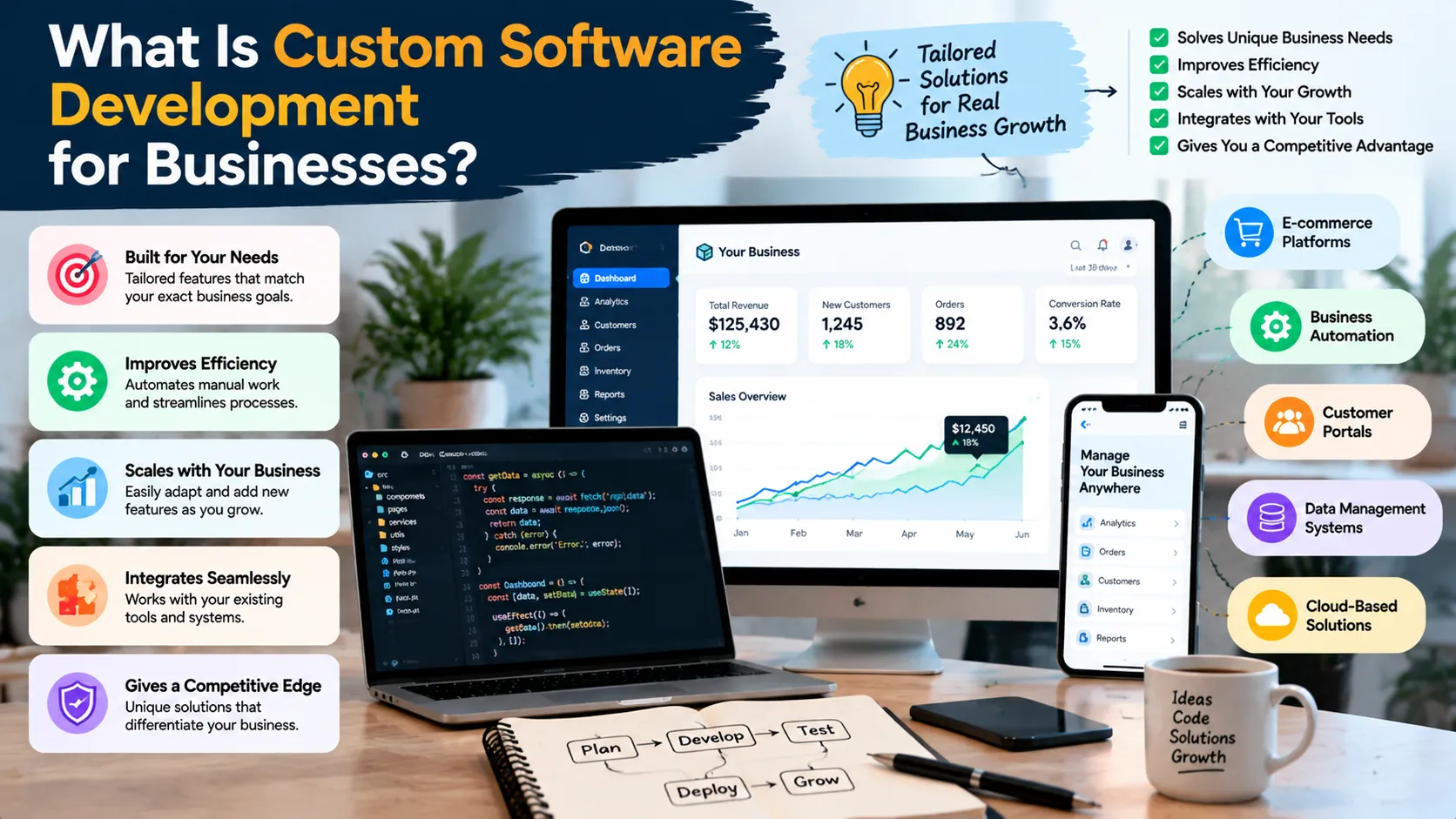
Custom software development for businesses is the process of planning, designing, building, testing, deploying, and maintaining software around an organization’s specific requirements.
Unlike a standard commercial application designed for a broad market, custom software addresses particular workflows, data structures, user roles, integrations, and business objectives. It can take the form of an internal management platform, customer portal, inventory system, mobile application, reporting dashboard, or complete digital product.
For example, a distribution company might manage orders through spreadsheets, track inventory in a separate application, and record customer information in another system. Employees may repeatedly enter the same information, increasing administrative effort and creating opportunities for errors.
A purpose-built application could connect these processes, centralize relevant data, and automate selected tasks. However, the company should first investigate whether existing software and integrations can solve the problem more economically.
That distinction matters because custom development is not automatically the best solution. The strongest projects begin with a measurable business problem and a realistic evaluation of available alternatives.
A successful custom software development project should deliver more than working code. It should produce a maintainable system that users can operate, that administrators can support, and that the business can improve as requirements evolve.
When Should a Business Invest in Custom Software?
Not every business needs a custom application. Standard accounting tools, email platforms, project management systems, and customer relationship management software already solve many common problems.
Custom development becomes more compelling when existing products cannot reasonably support a critical workflow or when software itself forms part of the company’s competitive advantage.
1. Your Business Has Unique Workflows
Some organizations follow processes that standard software does not accommodate without extensive workarounds.
A manufacturing company may require specialized production scheduling. A logistics provider may need route allocation rules connected to customer commitments. A professional services firm may need a project approval system that reflects its particular contracts and responsibilities.
If these workflows materially affect operational efficiency or customer service, custom software may provide a better fit.
Before building, document the workflow and determine which steps genuinely require customization. Standard processes should remain standard wherever practical.
2. Your Existing Tools Do Not Communicate Properly
Disconnected applications create duplicated data, manual work, inconsistent records, and reporting delays.
For example, a business may use an ecommerce platform, accounting software, an inventory application, and a CRM. If these systems do not share information reliably, employees may need to copy orders, update stock manually, or reconcile customer records.
An integration project may solve the problem without replacing every application. In other cases, a custom layer can coordinate information between existing tools.
Custom software development for businesses should therefore include an integration assessment before the team decides to replace or rebuild a system.
3. Manual Processes Are Limiting Growth
A process that works for a small team may become inefficient as transaction volumes increase.
Employees might prepare reports manually, review requests through email, generate invoices using spreadsheets, or repeatedly enter information into different systems. As the organization grows, these tasks consume more time and become harder to monitor.
Automation can reduce repetitive work, improve consistency, and give employees more time for activities requiring judgment.
However, automating a poorly designed process can make its problems happen faster. Review and simplify the workflow before implementing automation.
4. You Need a Distinctive Customer Experience
Businesses sometimes require customer-facing software that goes beyond the capabilities of standard website builders or SaaS products.
Examples include personalized customer portals, booking platforms, specialized quotation tools, subscription management systems, and applications that let customers monitor their orders or projects.
The decision should depend on customer needs, strategic importance, and implementation cost—not simply the desire to have a unique application.
5. Data Ownership and Control Matter
Some organizations require specific control over data storage, access permissions, retention, integrations, or deployment environments.
Custom development can help implement those requirements, but it does not automatically make a system more secure or compliant. The team must define the relevant controls, legal obligations, and operational responsibilities before development begins.
Custom Software vs. Off-the-Shelf Software
One of the most important decisions is whether to build a new system, buy an existing product, or combine commercial tools with custom integrations.
Clutch’s custom software development decision guide discusses the trade-offs between commercial software and applications designed around specific business needs. The key is to evaluate functional fit and total ownership costs rather than comparing initial prices alone.
| Decision factor | Custom software vs. off-the-shelf software | |
|---|---|---|
| Initial investment | Custom development usually requires greater upfront planning and implementation; ready-made software often has a lower entry cost | |
| Functional fit | Custom applications can match specific workflows; commercial products provide established functionality for common requirements | |
| Time to launch | Custom projects require discovery, development, and testing; existing products can often be configured more quickly | |
| Flexibility | Custom software provides more control over product direction; commercial software depends on the vendor’s features and roadmap | |
| Integration | Custom systems can support tailored integrations, although complexity depends on available APIs and architecture | |
| Maintenance | Custom systems require an ongoing owner and maintenance budget; commercial software shifts much of the core product maintenance to the vendor | |
| Long-term cost | Depends on development, subscriptions, integrations, support, infrastructure, and future changes | |
| Best fit | Unique workflows, strategic differentiation, or material gaps in existing tools | Common business needs that established products already handle well |
When Buying Software Is the Better Choice
Ready-made software is often appropriate when the business needs standard functionality and several mature products already satisfy its requirements.
Accounting, payroll, email, document collaboration, and basic project management are common examples. Building a replacement for a reliable commercial product may introduce unnecessary cost, risk, and maintenance responsibilities.
Buying can also make sense when the organization needs a solution quickly or lacks the resources to maintain a custom application.
When Building Software Is the Better Choice
Custom development becomes more attractive when a critical workflow does not fit existing products, integrations are unusually complex, or the software supports a distinctive customer experience.
Even then, compare the total cost of ownership over a consistent period. Include implementation, training, migration, licences, integrations, maintenance, hosting, security, and the cost of switching later.
Consider a Hybrid Approach
Many businesses do not need to choose between building everything and buying everything.
A company could use a commercial CRM, retain its existing accounting system, and build a custom integration that automates a distinctive approval workflow. Another business might use an established ecommerce platform while developing a specialized customer portal.
This approach can preserve the advantages of proven products while addressing the few areas where standard functionality creates meaningful limitations.
Common Business Applications of Custom Software
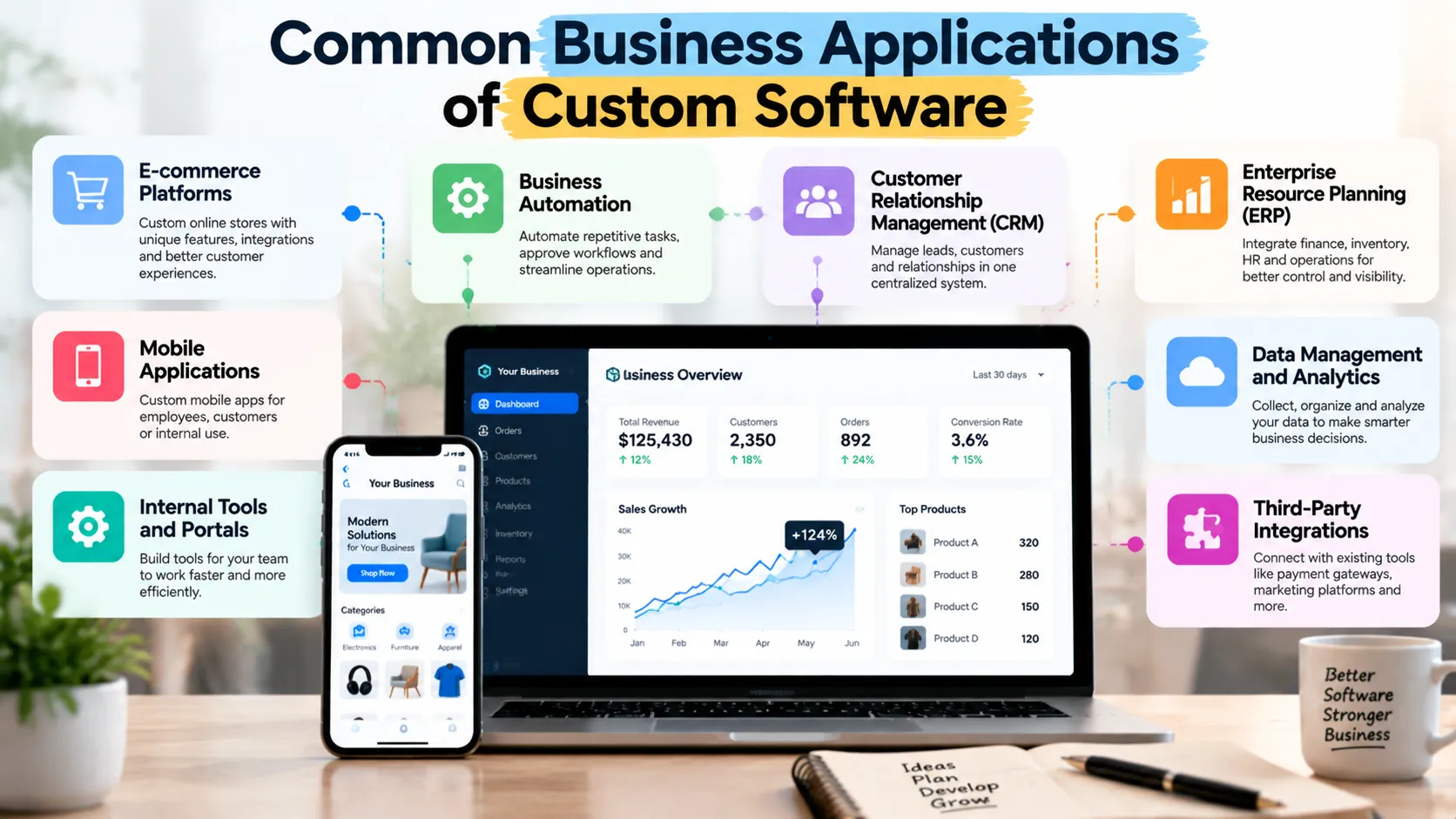
Custom applications can support a wide range of business functions. The right opportunity depends on where manual work, disconnected information, or unsuitable tools create measurable problems.
Business Process Automation
Automation software coordinates repetitive tasks, approvals, notifications, and information transfers.
A service business could automate the movement of a new enquiry from a website form into its CRM, notify the appropriate employee, create a follow-up task, and record the outcome. Human review can remain part of the process where a decision requires judgment.
A well-designed workflow should include exception handling. Missing information, failed integrations, duplicate requests, and rejected approvals need clear paths rather than silent failures.
Inventory and Order Management
Businesses that manage products across warehouses, stores, or sales channels may need accurate inventory information and consistent order processing.
A custom system can connect stock records, order statuses, purchasing workflows, and reporting. It may also support specialized allocation rules or internal approval processes.
Before developing such a system, investigate whether an established inventory platform can handle the main requirements and whether integration would solve the remaining gaps.
Customer Relationship Management
CRM systems help businesses organize leads, customer records, sales opportunities, and follow-up activities.
A commercial CRM is often sufficient for standard sales processes. Custom development may become useful when the organization needs specialized qualification logic, industry-specific workflows, or integration with proprietary systems.
The goal should be to make customer information more reliable and actionable, not to reproduce every feature found in a mature CRM product.
Reporting and Business Intelligence
Businesses often collect information across sales, finance, marketing, customer support, and operations. Custom reporting software can consolidate relevant data into a consistent view.
For example, a management dashboard might display order volumes, service response times, outstanding invoices, and customer acquisition metrics. Each metric needs a clear definition, a reliable source, and an identified owner.
A dashboard cannot compensate for inaccurate underlying records. Data quality and governance must form part of the implementation.
Customer Portals and Digital Products
A customer portal can let users review account information, submit requests, download documents, track progress, or manage subscriptions.
A software product may require user registration, role-based permissions, billing, notifications, reporting, and administration tools.
These projects need careful product planning because customer-facing functionality creates expectations for reliability, usability, security, and support.
The Custom Software Development Lifecycle
A structured development lifecycle helps the business control scope, identify risks early, and verify that the finished system meets its requirements.
AWS explains the software development lifecycle as a structured process involving planning, design, implementation, testing, deployment, and maintenance. The exact workflow varies by project, but each stage should have clear objectives and deliverables.
Step 1: Discovery and Business Analysis
The team investigates the business problem before proposing a technical solution.
Discovery should establish the current workflow, intended users, existing systems, constraints, risks, and desired outcomes. It should also identify what the business has already tried and why previous approaches have not met its needs.
Useful discovery questions include:
What is the main problem? Who experiences it? How often does it occur? What does it cost the organization? Which systems hold the necessary data? What would a successful solution change?
The answers form the foundation for the requirements and budget.
Step 2: Requirements and Scope Definition
Requirements describe what the system must do and the conditions under which it must operate.
Functional requirements define capabilities such as creating orders, approving requests, generating reports, or managing users. Non-functional requirements address qualities such as performance, availability, security, accessibility, and maintainability.
The team should also document exclusions. A clear statement of what the first release will not include helps prevent uncontrolled scope expansion.
For important requirements, define acceptance criteria so stakeholders can verify whether the delivered functionality meets expectations.
Step 3: Architecture and Technology Selection
Software architecture describes the major components of the system, their responsibilities, and how they communicate.
The team chooses a suitable architecture based on requirements, expected usage, integrations, security, budget, and available expertise. A small internal tool may work well as a straightforward application, while a complex platform may need additional services and stronger separation of components.
Do not select a complex architecture simply because it is fashionable. Every additional component introduces implementation, monitoring, deployment, and maintenance responsibilities.
Step 4: UX and Interface Design
Designers map the main user journeys and create wireframes or prototypes before the team commits to detailed implementation.
A good interface makes common tasks easy to understand, reduces unnecessary steps, and provides clear feedback when something goes wrong.
Test important workflows with representative users whenever possible. Their feedback may reveal that the proposed solution does not match actual working practices.
Step 5: Build an MVP
A minimum viable product (MVP) contains the smallest useful set of capabilities needed to test a core assumption or deliver an initial business outcome.
For example, an inventory management MVP might support product records, stock updates, and basic reporting before adding forecasting or advanced analytics.
The MVP should still meet appropriate security, reliability, and data integrity requirements. Reducing scope does not justify omitting essential safeguards.
Step 6: Develop in Iterations
Teams can divide work into manageable increments, review completed functionality, and adjust priorities as they learn.
agile software development supports iterative delivery, collaboration, and continuous feedback. Atlassian’s Agile software development guide explains how teams use small increments, code review, automated testing, and regular feedback to improve delivery.
The team should agree on a definition of done. A feature is not complete merely because the developer has written the code; it should also meet its acceptance criteria and pass the relevant quality checks.
Step 7: Test and Validate
Testing checks whether the application behaves correctly and meets its requirements.
Depending on the project, the test plan may include unit testing, integration testing, end-to-end testing, usability testing, performance testing, security testing, and user acceptance testing.
Prioritize workflows that affect revenue, sensitive information, operational continuity, or customer trust. Test both successful and unsuccessful scenarios, including invalid input, network failures, permission errors, and interrupted transactions.
Step 8: Deploy and Monitor
Deployment moves the application into its production environment. The release plan should address configuration, access, data migration, backups, monitoring, rollback procedures, and communication with affected users.
After launch, monitor errors, performance, usage, and user feedback. The team should know who receives alerts, who investigates incidents, and how urgent issues are escalated.
Step 9: Maintain and Improve
Software needs ongoing updates, security fixes, dependency management, bug resolution, infrastructure support, and enhancements.
A custom application can become difficult to maintain if its architecture, configuration, or business rules exist only in the original developer’s memory.
Require appropriate documentation, source-code access, deployment instructions, and a clear support arrangement before the project is considered complete.
Security, Privacy, and Reliability by Design
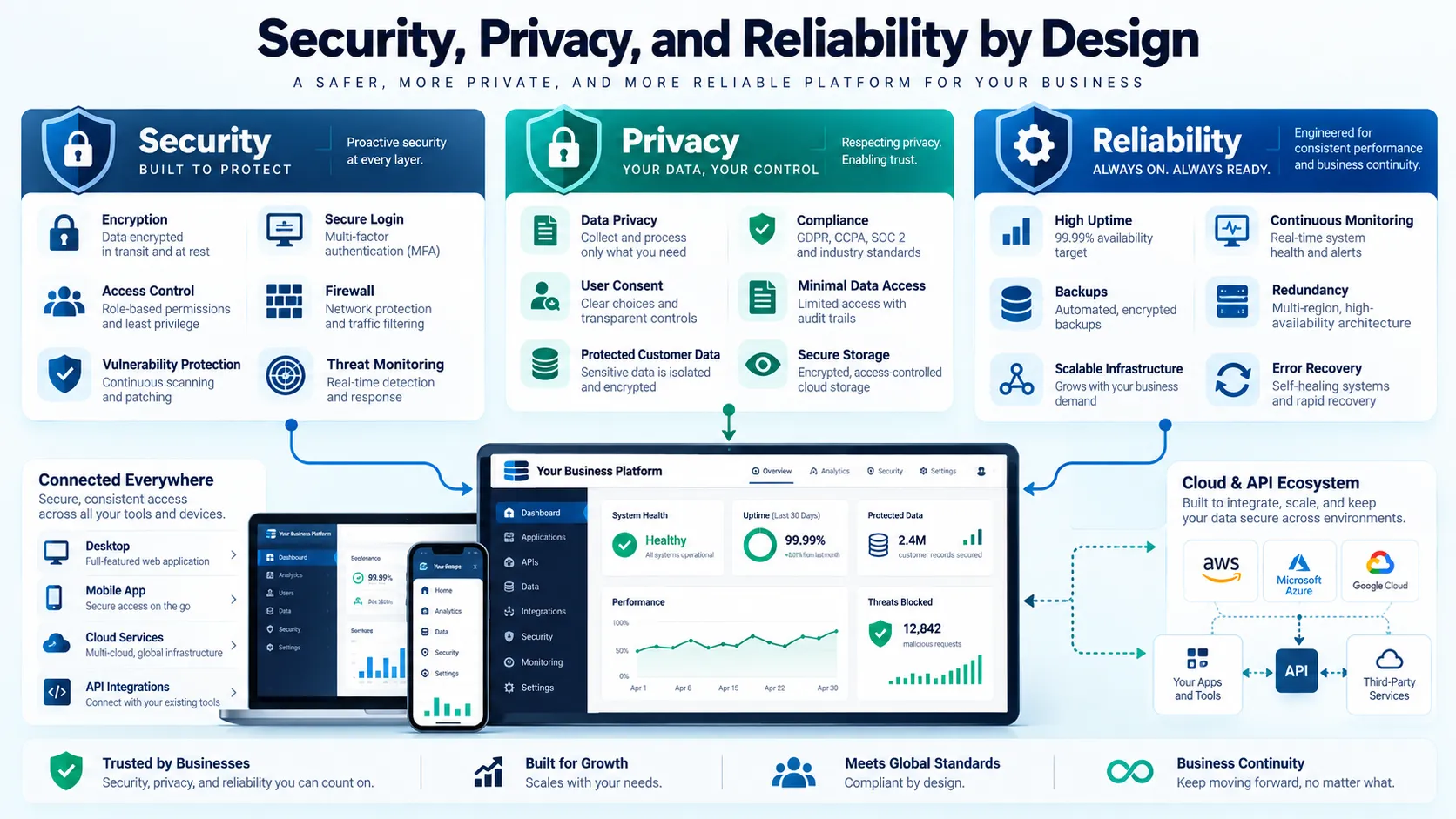
Security should influence requirements, architecture, development, testing, and ongoing maintenance. It should not be postponed until the team prepares to launch.
NIST’s Secure Software Development Framework provides recommendations for integrating secure practices into software development. NIST published a draft revision, SP 800-218 Rev. 1, in December 2025; businesses should distinguish that draft from the finalized guidance when using it as a reference.
Control Access to Sensitive Information
Use appropriate authentication and authorization so users can access only the information and functions they need.
Administrative accounts should receive particular attention. Strong authentication, limited privileges, secure secrets management, and documented account-recovery procedures can reduce avoidable risk.
Protect Data Throughout Its Lifecycle
Identify what data the application collects, where it stores that data, who can access it, how long the business retains it, and how the organization handles deletion or export requests.
Use suitable encryption, secure communication, backup protection, and access logging according to the system’s risk profile.
Legal requirements vary by jurisdiction and industry. Businesses should obtain appropriate advice where the application handles regulated or sensitive information.
Secure Dependencies and Integrations
Third-party libraries, APIs, plugins, and external services can introduce vulnerabilities or operational dependencies.
Track important dependencies, apply security updates, validate incoming data, protect API credentials, and define how the system responds when an external service becomes unavailable.
Security is an ongoing responsibility. A launch-day security review cannot replace continuous maintenance and incident preparedness.
How Much Does Custom Software Development Cost?
The cost of custom software depends on project scope, complexity, integration requirements, security needs, design work, testing, infrastructure, and ongoing support.
A small internal workflow tool differs substantially from a multi-user enterprise platform with payment processing, reporting, mobile access, and several external integrations. A credible estimate must reflect the actual requirements rather than an arbitrary industry average.
The following framework identifies common cost drivers.
| Cost component | What influences the investment |
|---|---|
| Discovery and planning | Requirements workshops, workflow analysis, feasibility checks, and acceptance criteria |
| Design and prototyping | User research, interface design, accessibility, and prototype testing |
| Development | Feature complexity, architecture, integrations, and the number of supported workflows |
| Testing and security | Automated tests, specialist reviews, performance validation, and security assessments |
| Infrastructure and deployment | Hosting, environments, monitoring, backups, and release management |
| Ongoing maintenance | Updates, bug fixes, dependency management, support, and future improvements |
Request a Scope-Based Estimate
A useful proposal separates the initial delivery from recurring costs. It should explain assumptions, deliverables, dependencies, payment milestones, and what happens when requirements change.
Compare proposals on equivalent scope rather than headline price. One provider may include testing, documentation, and post-launch support, while another may quote only implementation.
Ask for estimates by major feature or phase where possible. This helps the business understand which requirements drive the cost and which capabilities it can defer.
Calculate Total Cost of Ownership
Initial development is only part of the investment. A fair comparison should include ongoing maintenance, hosting, third-party subscriptions, internal administration, security updates, training, and future enhancements.
Compare custom development with commercial alternatives over the same period. Include subscription increases, paid add-ons, implementation costs, integrations, migration, and the possibility of switching vendors.
The correct choice depends on the business’s requirements and long-term operating model. Custom software may provide greater value in one context while a standard subscription remains more economical in another.
How to Choose a Custom Software Development Partner
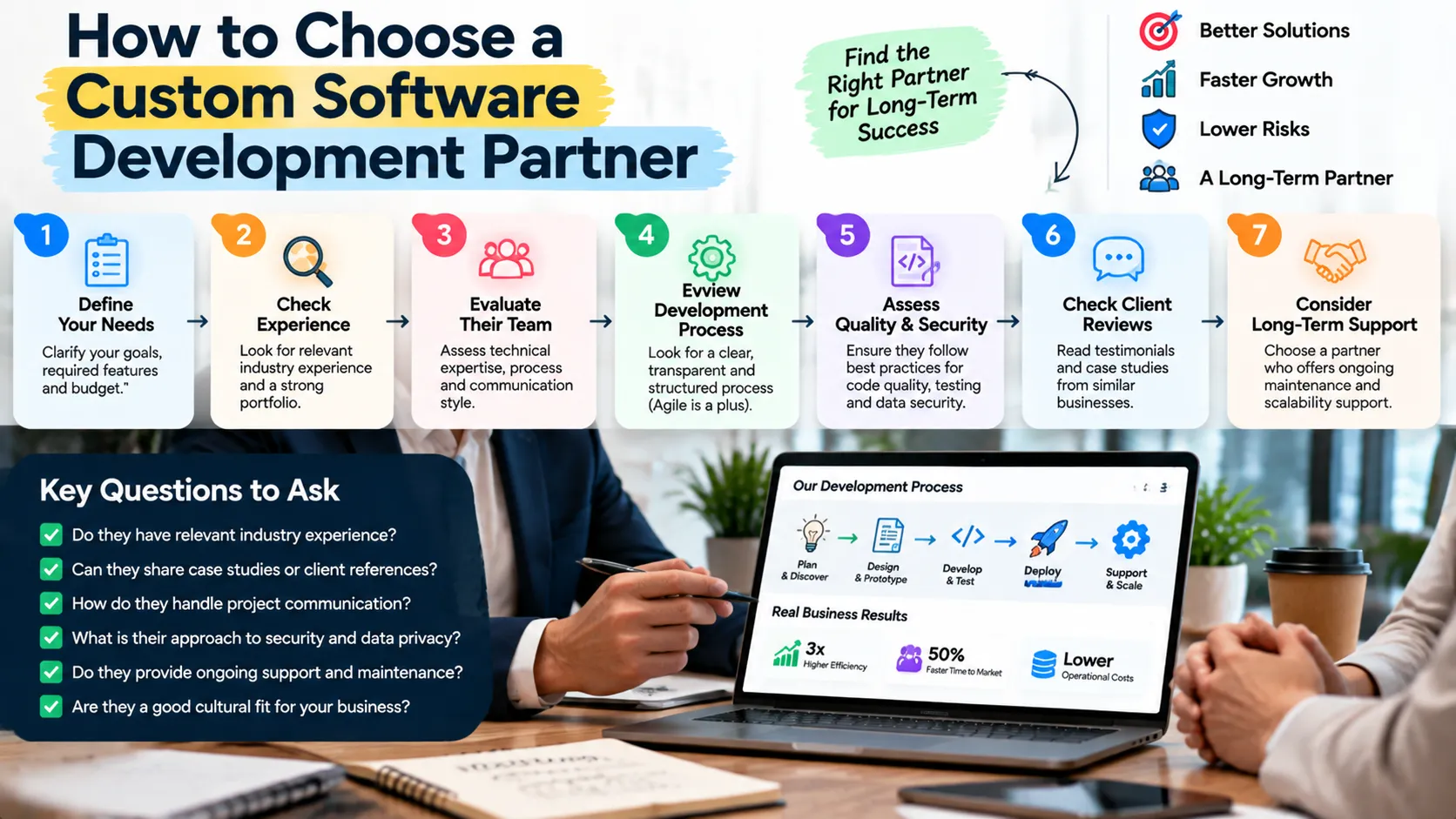
The right partner should understand the business problem, explain technical decisions clearly, manage scope responsibly, and plan for the software’s life after launch.
When evaluating application development companies, look beyond attractive portfolios. Review relevant project experience, architecture decisions, security practices, communication, and the quality of handover documentation.
Likewise, computer software development companies may specialize in very different technologies or industries. A company experienced in mobile applications may not be the best choice for a complex enterprise integration, so match expertise to your requirements.
A custom software development agency should be able to explain its discovery process, delivery approach, testing responsibilities, and support model. Ask how it will handle changing requirements and how the business will retain control of its assets.
When comparing custom software development companies and custom software development firms, assess the proposed team, not simply the brand. Confirm who will lead architecture, implementation, quality assurance, security, and project communication.
The term custom software development services can cover everything from discovery and consulting to full implementation and long-term maintenance. Make sure the proposal specifies which of those responsibilities the provider will actually undertake.
A bespoke software development service may be suitable when the organization needs workflows or functionality that standard tools cannot reasonably provide. However, customization should solve a defined business problem rather than introduce unnecessary complexity.
Some organizations prefer co development software arrangements, where their internal team and an external partner work together on planning, implementation, or product ownership. If you choose this model, agree on responsibilities, code review, documentation, decision rights, and knowledge transfer.
Questions to Ask Before Hiring a Provider
Use these questions during vendor discussions to compare providers on consistent criteria.
- Which projects have you delivered that resemble our requirements, and what role did your team play?
- How will you determine whether custom development is better than buying or integrating an existing product?
- What discovery deliverables, requirements documents, prototypes, and acceptance criteria will we receive?
- How will you manage security, testing, source-code ownership, third-party dependencies, and production access?
- Who will maintain the application after launch, and what support arrangements and recurring costs should we expect?
- How will you report progress, manage changes, transfer knowledge, and help our team operate the system independently?
The answers should be specific enough to evaluate. Be cautious if a provider promises an exact timeline before understanding the scope or avoids discussing maintenance and ownership.
Common Mistakes to Avoid in Custom Software Projects
Businesses can reduce project risk by identifying avoidable problems before development begins.
- Building before validating the need: Interview users, document the current workflow, and investigate commercial alternatives before commissioning a solution.
- Trying to include every feature in the first release: Prioritize the capabilities that address the core problem, then expand using evidence from real usage.
- Ignoring integration complexity: Confirm API availability, data quality, permissions, rate limits, and failure handling before estimating integration work.
- Treating security as an optional extra: Define security requirements and appropriate testing throughout the lifecycle.
- Choosing a vendor on price alone: Compare scope, relevant experience, quality practices, documentation, and ongoing support.
- Neglecting internal ownership: Assign a business owner who can prioritize requirements, coordinate stakeholders, and make timely decisions.
- Failing to budget for maintenance: Plan for updates, monitoring, support, infrastructure, and future improvements from the start.
Measuring Business Outcomes After Launch
A software project should have a clear method for evaluating whether it solves the original problem.
Choose metrics that reflect the intended outcome. A workflow automation project might measure processing time, manual interventions, error rates, and completed transactions. A customer portal might measure successful self-service tasks, support requests, and user adoption.
A reporting application might measure the time required to prepare a report, the consistency of the underlying data, and how quickly managers can access information for decisions.
Establish a baseline before implementation whenever possible. Without one, the business may struggle to determine whether the new system improved the process.
Consider an illustrative company that takes two hours to compile a recurring operational report. If a new system reduces that task to 30 minutes, the team saves 90 minutes per reporting cycle. The company can estimate the value using its reporting frequency and the relevant staff cost.
This example demonstrates a calculation method, not a guaranteed result. The business should validate actual savings and account for implementation, maintenance, and other costs.
Review adoption as well as technical performance. Software that functions correctly but does not fit users’ workflows may fail to deliver its intended value. Training, usability improvements, and ongoing feedback can be as important as adding new features.
Future-Proofing Your Business Software
Future-proofing does not mean predicting every future requirement. It means making sensible design decisions that allow the system to change without excessive rework.
Use documented interfaces, maintainable components, automated tests, and clear data models. Avoid unnecessary dependencies on one developer’s knowledge or undocumented manual procedures.
Plan for reasonable growth in users, transaction volumes, integrations, and data retention. At the same time, avoid introducing complex distributed architectures before the business needs them.
AI-assisted development tools may help teams draft code, generate tests, or explore implementation options. However, they do not remove the need for requirements analysis, architectural judgment, security review, testing, and accountable human ownership.
The business should evaluate tools according to the problem they solve, the risks they introduce, and the quality of the resulting system.
GrowthAxis Solutions provides related digital capabilities through its Web Development services, including Business Website Design and Ecommerce Development. Businesses considering a software project can contact GrowthAxis Solutions to discuss their requirements and determine an appropriate next step.
Conclusion
Custom software development for businesses can improve operational efficiency, connect systems, and support distinctive customer experiences when existing products cannot meet important requirements. Begin with a clear problem, compare build-versus-buy options, define measurable outcomes, and plan for security and maintenance. Contact GrowthAxis Solutions to discuss your digital requirements and explore a practical solution.
Frequently Asked Questions
1. What is custom software development for businesses?
Custom software development for businesses is the process of building and maintaining software around an organization’s specific workflows, users, data, and objectives. It can include internal applications, customer portals, integrations, reporting platforms, and digital products designed to address requirements that existing tools do not adequately meet.
2. How do I know whether my business needs custom software?
Consider custom software when important workflows do not fit existing tools, integrations create significant manual work, or a distinctive application could improve customer experience or operational performance. First evaluate commercial products and integration options, then compare their capabilities and total costs with a custom solution.
3. What is the difference between custom software and off-the-shelf software?
Custom software is designed around specific requirements, while off-the-shelf software provides established features for a broad range of customers. Custom development offers greater control but introduces development and maintenance responsibilities. Commercial software often launches faster and costs less initially, although licensing and customization can increase long-term costs.
4. How much does custom software development cost?
The cost depends on requirements, complexity, integrations, design, testing, security, infrastructure, and maintenance. A small workflow tool generally requires less investment than a complex enterprise platform. Request a scope-based estimate and compare total ownership costs, including recurring expenses, rather than relying on a generic price range.
5. How long does a custom software project take?
The timeline depends on the project’s scope, technical complexity, integrations, stakeholder availability, and testing requirements. A small application may take weeks or months, while a complex platform can take considerably longer. A discovery phase and prioritized MVP help establish a more credible delivery plan.
6. What is agile software development?
Agile software development is an iterative approach in which teams deliver work in manageable increments, review progress, gather feedback, and adjust priorities. It can help businesses validate assumptions earlier and adapt to changing requirements. Agile still requires clear objectives, acceptance criteria, quality controls, and responsible project management.
7. Is custom software more secure than ready-made software?
Not automatically. Security depends on architecture, implementation quality, access controls, dependencies, testing, monitoring, and maintenance. Custom software allows organizations to define particular controls, but it also creates responsibility for vulnerabilities and updates. Both custom and commercial systems require appropriate security management.
8. What is an MVP in software development?
A minimum viable product is an initial version that delivers enough functionality to test a core assumption or solve a priority problem. It helps a business gather feedback before investing in a larger system. An MVP should still meet essential security, reliability, usability, and data integrity requirements.
9. How should I choose a custom software development company?
Evaluate relevant experience, discovery methods, technical expertise, security practices, communication, project scope, source-code ownership, documentation, and post-launch support. Ask how the provider estimates work, handles changes, tests functionality, and transfers knowledge. Choose a partner whose approach matches your requirements and long-term operating capacity.
10. Does custom software require ongoing maintenance?
Yes. Custom software requires updates, bug fixes, dependency management, security reviews, monitoring, backups, and adjustments as business needs change. Budget for maintenance before launch, assign responsibility for operational support, and ensure that your organization has access to source code, documentation, deployment instructions, and required accounts.