
Technical SEO Audit Checklist for Business Websites
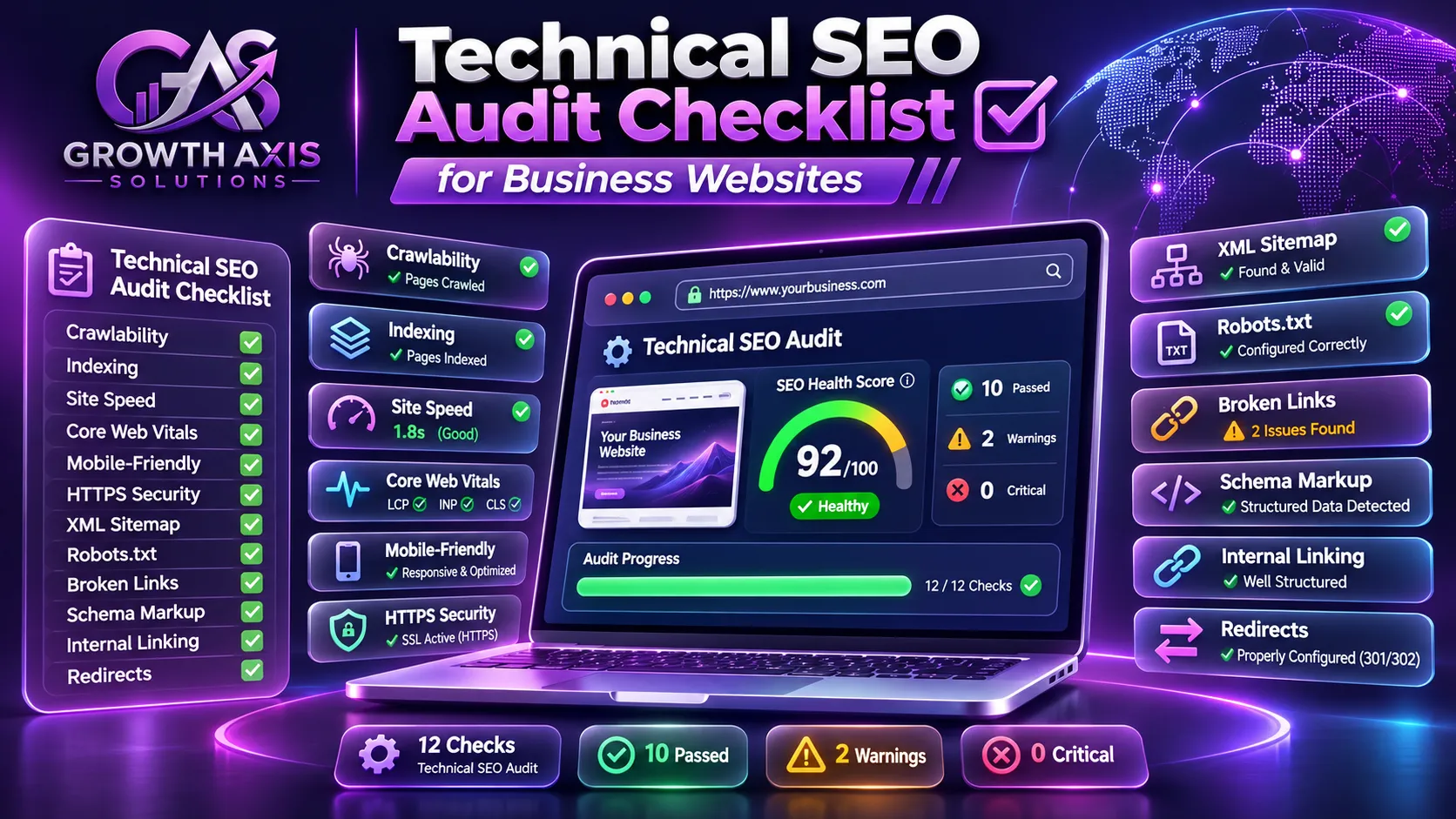
A beautiful website cannot grow through search if Google cannot properly crawl, understand, or index it. This technical SEO audit checklist helps businesses identify and fix those problems.
A technical SEO audit identifies website issues that affect crawling, indexing, performance, security, and search visibility. This guide provides a practical checklist for business websites, explains how to use essential SEO tools, prioritizes technical problems, and shows how to build a reliable improvement plan that supports long-term organic growth.
What Is a Technical SEO Audit?
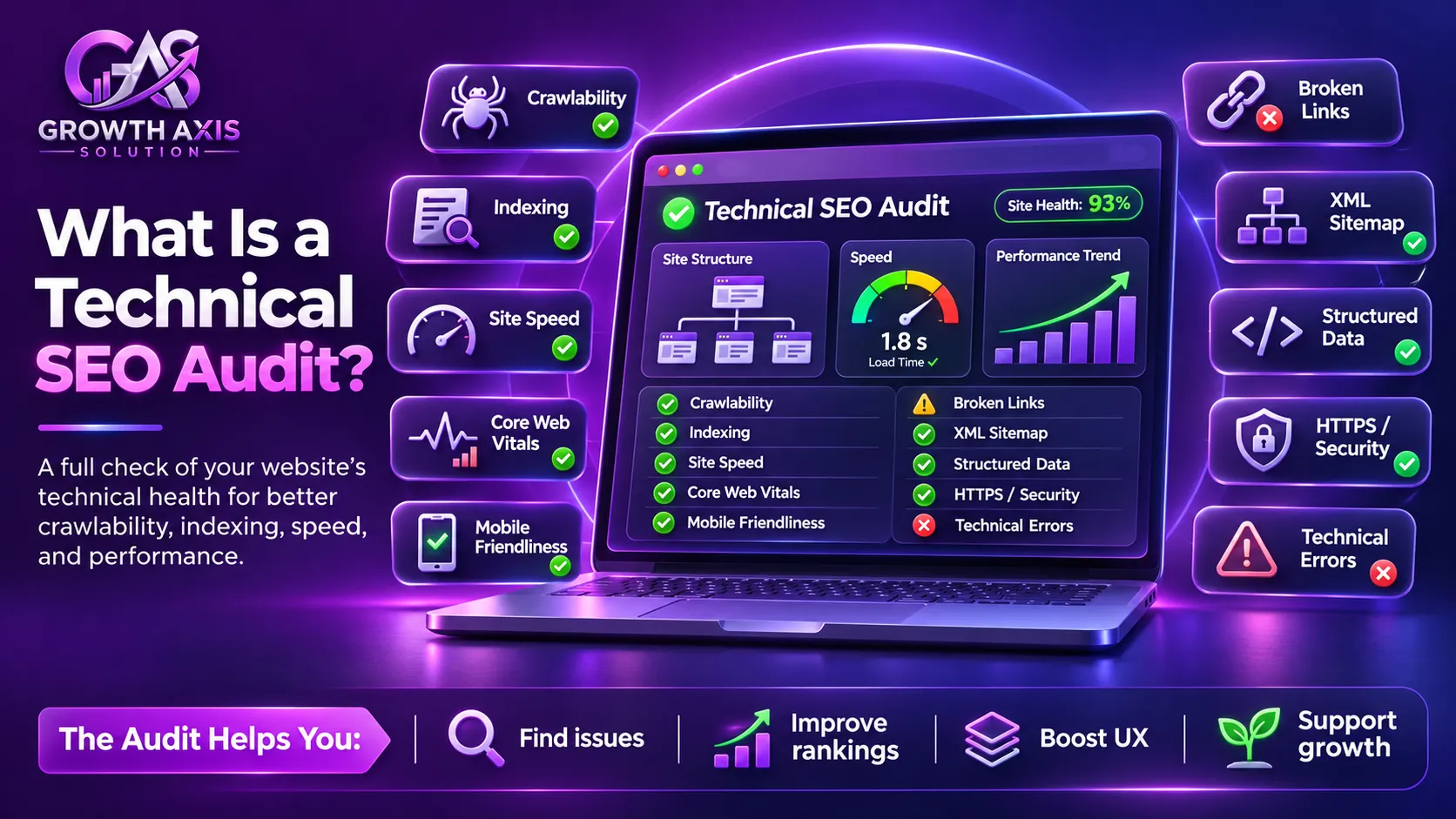
A technical SEO audit is a systematic examination of a website’s infrastructure to identify problems that prevent search engines from accessing, understanding, and indexing important pages.
It also evaluates technical factors that influence how visitors experience a website.
Unlike content optimization, which focuses on information, keywords, headings, and search intent, technical SEO examines the systems that allow search engines and visitors to access that information.
For example, imagine a company offering professional web development services.
Its website may have excellent service descriptions, attractive graphics, and competitive pricing. However, several technical problems could prevent it from receiving organic traffic:
- Google cannot access important service pages because of incorrect robots.txt rules.
- Important URLs contain accidental noindex directives.
- Multiple versions of the same page compete with each other.
- Large images make important landing pages slow.
- JavaScript prevents essential content from appearing in rendered HTML.
- Broken internal links make important pages difficult to discover.
These problems can limit the effectiveness of otherwise valuable content.
A technical SEO audit helps identify these issues before they undermine the website’s search performance.
According to Google Search Essentials, websites must meet technical requirements and follow Google’s essential best practices to become eligible for Search visibility.
However, meeting technical requirements does not guarantee indexing or rankings. Google’s systems also evaluate relevance, quality, and other factors.
Why do business websites need regular technical audits?
Websites change continuously.
Businesses publish new pages, install plugins, redesign templates, change hosting providers, add tracking scripts, and introduce new functionalities.
Each change can create unexpected technical problems.
Regular auditing helps businesses:
- Identify indexing problems before they affect important landing pages.
- Improve website accessibility for search engines.
- Detect broken links and redirect problems.
- Improve mobile usability and page performance.
- Reduce duplicate URL issues.
- Maintain a clear website structure.
- Protect search visibility during redesigns and migrations.
- Establish priorities for developers and marketing teams.
A good technical SEO audit checklist should therefore evaluate both the current website and the processes used to maintain it.
Technical SEO Audit Checklist: 12 Essential Areas to Examine
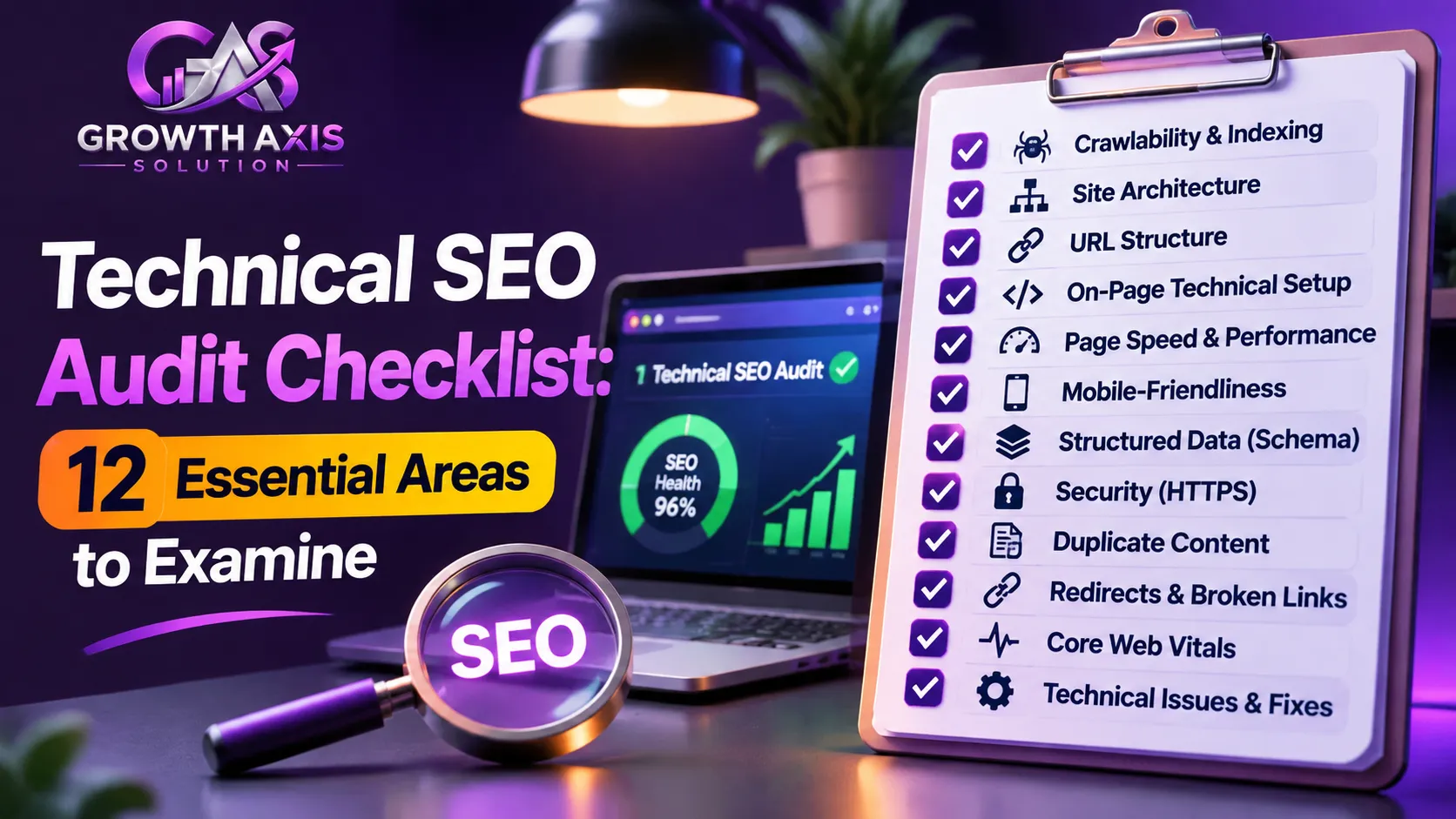
The following checklist covers the most important technical areas for small businesses, ecommerce websites, professional service providers, and larger organizations.
It follows a practical sequence: access, crawling, rendering, indexing, performance, and ongoing maintenance.
1. Check Website Crawlability
Crawlability determines whether search engine bots can access your website’s pages and resources.
Google uses automated crawlers, including Googlebot, to discover and retrieve publicly available web content.
If important pages cannot be crawled, Google may struggle to understand their content.
Start by checking your robots.txt file.
Open:
https://yourdomain.com/robots.txt
Review whether the file contains rules that unintentionally block important sections.
For example:
User-agent: *
Disallow: /admin/
Disallow: /private/
Allow: /
Sitemap: https://example.com/sitemap_index.xml
This is an illustrative configuration, not a universal template. Your actual rules should reflect your website architecture.
Check the following:
- The robots.txt file loads successfully.
- Important service and product pages are not blocked.
- Important CSS and JavaScript resources remain accessible.
- Staging restrictions do not accidentally remain on the production website.
- Search engine bots can access the resources required to understand important pages.
Important: Robots.txt controls crawling, not indexing. A URL blocked by robots.txt can sometimes remain indexed if Google discovers it through other sources. Use an appropriate noindex directive when you want to prevent indexing, and ensure the crawler can access the page to see that directive.
Read Google’s official robots.txt documentation.
2. Check Website Indexability
Crawling and indexing are different processes.
Crawling means a search engine retrieves a page. Indexing means the search engine evaluates and may include that page in its searchable database.
A page can be crawled without being indexed.
Use Google Search Console to identify indexing problems.
Navigate to:
Google Search Console → Indexing → Pages
Review the reported categories and identify important URLs that Google has not indexed.
Pay attention to:
- Crawled – currently not indexed.
- Discovered – currently not indexed.
- Duplicate without user-selected canonical.
- Alternate page with proper canonical tag.
- Excluded by noindex tag.
- Blocked by robots.txt.
- Not found (404).
- Server errors (5xx).
Not every excluded URL represents a problem. For example, login pages, internal search results, and duplicate URLs may not need indexing.
The objective is to ensure that every valuable, indexable page has a clear path into Google’s index.
3. Audit XML Sitemap Configuration
An XML sitemap provides search engines with information about important URLs on your website.
It helps Google discover new and updated pages, particularly on larger or more complex websites.
Open your sitemap, commonly available at:
https://yourdomain.com/sitemap.xml
Some WordPress SEO plugins generate a sitemap index instead.
Check that:
- Important canonical URLs appear in the sitemap.
- URLs return successful HTTP 200 responses.
- Redirected and deleted URLs are excluded.
- Noindex pages are excluded.
- Updated publication dates accurately reflect meaningful changes.
- The sitemap is accessible and uses valid XML.
- The sitemap has been submitted through Google Search Console.
For WordPress websites using Yoast SEO or Rank Math, sitemap generation is usually straightforward.
However, automatic generation does not guarantee that every included URL is appropriate.
Google explains sitemap requirements in its official XML sitemap guide.
Remember that a sitemap is a discovery signal, not a guarantee that Google will crawl or index every submitted URL.
4. Review URL Structure and Canonical Tags
Duplicate URLs can create unnecessary complexity.
For example, the same website might be accessible through:
http://example.comhttps://example.comhttps://www.example.comhttps://example.com/index.php
A business should establish its preferred URL structure and redirect alternative versions appropriately.
Canonical tags also help search engines understand which URL represents the preferred version of similar or duplicate pages.
Example:
<link
  rel="canonical"
  href="https://example.com/services/technical-seo/"
/>
Check whether:
- Important pages have appropriate canonical tags.
- Canonical URLs point to the correct preferred pages.
- Canonical URLs use HTTPS.
- Redirected URLs do not unnecessarily appear as canonicals.
- Multiple conflicting canonical tags do not exist.
- Sitemap URLs and canonical URLs are consistent.
Canonical tags are hints rather than absolute commands. Google may select a different canonical URL based on its evaluation.
Read Google’s canonicalization documentation.
5. Find Broken Links and Redirect Errors
Broken links create frustrating experiences for visitors and can interrupt search engine discovery.
Use a crawling tool to identify internal links that point to missing pages.
Common problems include:
- Internal links returning 404 errors.
- External links pointing to deleted resources.
- Redirect chains.
- Redirect loops.
- Temporary redirects used where permanent redirects are appropriate.
- Redirects pointing to irrelevant destinations.
- Important pages receiving no internal links.
A 301 redirect is generally appropriate when a page has permanently moved to a relevant replacement.
For example:
/old-seo-service/
Redirects to:
/technical-seo/
The destination should genuinely satisfy the original page’s purpose.
Do not redirect every deleted page to the homepage. That can confuse visitors and search engines.
For larger websites, review redirect maps after every migration or URL restructuring project.
6. Analyze Website Architecture and Internal Linking
A well-organized website makes information easier to discover.
Important pages should connect logically through navigation, category pages, contextual links, and breadcrumbs.
For example, a digital marketing agency could structure its website like this:
Homepage
│
├── Digital Marketing
│   ├── Google Ads
│   ├── Meta Ads
│   └── Content Marketing
│
├── SEO & AI Search
│   ├── Technical SEO
│   ├── On-Page SEO
│   ├── Local SEO
│   └── AI Search Optimization
│
└── Web Development
    ├── WordPress Development
    └── Ecommerce Development
This structure creates meaningful relationships between related services.
During your audit, examine:
- Important pages linked from relevant navigation sections.
- Orphan pages with no internal links.
- Excessively deep page structures.
- Broken breadcrumb navigation.
- Unclear category relationships.
- Repetitive or irrelevant anchor text.
- Internal links pointing through unnecessary redirects.
Do not treat three clicks as a universal Google ranking requirement. Instead, make important pages easy for visitors and crawlers to discover.
For a deeper explanation, see Google’s guidance on crawlable links.
7. Evaluate Core Web Vitals and Website Speed
Website performance influences how people experience your pages.
A slow website can make it harder for visitors to read information, complete forms, browse products, and purchase services.
Google’s Core Web Vitals measure three important aspects of real-world page experience.
| Metric | What it measures | Good target |
|---|---|---|
| LCP | Largest Contentful Paint – loading performance | 2.5 seconds or less |
| INP | Interaction to Next Paint – responsiveness | Less than 200 milliseconds |
| CLS | Cumulative Layout Shift – visual stability | 0.1 or less |
Google evaluates these metrics using real-user data, generally at the 75th percentile.
These are recommended good thresholds, not guarantees of higher rankings.
Use Google PageSpeed Insights to examine mobile and desktop performance.
Also review the Core Web Vitals report inside Search Console.
Common improvements include:
- Compressing oversized images.
- Serving modern image formats such as WebP or AVIF.
- Reducing unnecessary JavaScript.
- Improving server response time.
- Using appropriate caching.
- Optimizing font loading.
- Reducing layout shifts.
- Loading below-the-fold resources efficiently.
Do not optimize only for a perfect Lighthouse score. Focus on measurable improvements that benefit actual visitors.
Read Google’s Core Web Vitals documentation.
8. Check Mobile-First Indexing and Responsive Design
Google primarily uses the mobile version of website content for indexing and ranking.
This makes mobile usability a fundamental part of a technical SEO audit.
Check your website on different screen sizes.
Important areas include:
- Responsive layouts.
- Mobile navigation.
- Readable font sizes.
- Properly sized buttons.
- Accessible forms.
- Images that fit the screen.
- Consistent content across desktop and mobile.
- Mobile versions containing important internal links.
- Equivalent titles, descriptions, and structured information.
A common problem occurs when desktop pages contain detailed content that disappears from mobile layouts.
Ensure that important information remains accessible on mobile.
Use browser developer tools and Google’s URL Inspection tool to compare how your page renders.
See Google’s mobile-first indexing guidance.
9. Audit JavaScript Rendering
Modern websites often rely on JavaScript frameworks and dynamic interfaces.
However, poorly implemented JavaScript can make important content difficult for search engines to discover.
Google processes JavaScript websites through three main stages:
- Crawling.
- Rendering.
- Indexing.
A page may initially return a basic HTML document and load its actual content later through JavaScript.
This can create problems if rendering fails, resources remain blocked, or important content depends on unavailable API requests.
During your audit:
- Compare the initial HTML with the rendered HTML.
- Check whether headings and main content appear after rendering.
- Verify that navigation links use crawlable URLs.
- Inspect blocked JavaScript and CSS resources.
- Check for JavaScript console errors.
- Confirm that canonical tags remain consistent.
- Test important pages using Search Console’s live URL inspection.
For complex JavaScript websites, server-side rendering or prerendering may improve reliability and provide faster access to content.
Google’s JavaScript SEO documentation explains the process and common implementation problems.
10. Validate Structured Data and Schema Markup
Structured data helps search engines understand the information represented on a webpage.
Depending on the page and eligibility requirements, appropriate markup can support enhanced search appearances.
Common schema types include:
- Organization.
- Article.
- Product.
- BreadcrumbList.
- LocalBusiness.
- VideoObject.
- Event.
For example, a business website may use Organization markup to describe its name, website, and relevant business information.
An article may use Article or BlogPosting markup with appropriate headline, author, publication date, and image properties.
Check that:
- The markup accurately describes visible page content.
- Required properties are present for the relevant feature.
- Structured data uses valid syntax.
- Images are accessible.
- Markup does not contain fabricated reviews or misleading information.
- Duplicate and conflicting schema blocks are resolved.
Use Google’s Rich Results Test and Schema Markup Validator.
Important: Valid schema does not guarantee a rich result or higher rankings. Google decides whether eligible pages receive enhanced appearances.
11. Review HTTPS, Website Security, and Server Health
Website security protects visitors and helps maintain a reliable technical foundation.
Start by checking whether the website consistently uses HTTPS.
Then review:
- Valid SSL/TLS certificates.
- Secure redirects from HTTP to HTTPS.
- Mixed-content warnings.
- Unexpected server errors.
- DNS resolution.
- Hosting availability.
- Server response times.
- Exposed administrative interfaces.
- Unnecessary public files.
- Malware and hacked-content warnings.
Check the Search Console Security Issues and Manual Actions reports when available.
Also inspect important server response codes.
| HTTP status | Meaning | SEO audit action |
|---|---|---|
| 200 | Successful response | Appropriate for normal accessible pages |
| 301 | Permanent redirect | Verify relevant destination |
| 302 | Temporary redirect | Confirm temporary intent |
| 404 | Page not found | Restore or redirect if appropriate |
| 410 | Resource permanently gone | Verify removal is intentional |
| 403 | Access forbidden | Check whether important pages are unintentionally restricted |
| 500 | Internal server error | Investigate server-side failure |
| 503 | Service unavailable | Check temporary downtime and retry handling |
A website can have excellent content and still suffer from unstable hosting or recurring server errors.
Review server availability alongside your crawling reports.
12. Audit International SEO and Language Targeting
Businesses targeting the USA, UK, Canada, Australia, and other markets should examine their international website configuration.
A multilingual or multi-regional website may need separate URLs for different languages or locations.
For example:
example.com/en-us/
example.com/en-gb/
example.com/en-ca/
example.com/en-au/
These URLs are illustrative.
Where suitable, hreflang annotations help Google understand the language and regional alternatives.
Check:
- Correct language and regional codes.
- Reciprocal hreflang annotations.
- Self-referencing hreflang entries.
- Appropriate canonical URLs.
- Consistent language content.
- Functional language switching.
- Correct regional currencies and service information.
Do not create nearly identical country pages without meaningful regional value.
Google recommends distinct URLs for language variations rather than relying exclusively on cookies or automatic IP-based redirection.
Read the Google international SEO guide.
Complete Technical SEO Audit Checklist: What Should You Check?

Use the following consolidated table during your website audit.
| Audit category | Essential checks | Priority |
|---|---|---|
| Crawlability | Robots.txt, blocked resources, crawler access | Critical |
| Indexability | Noindex, indexing status, canonical signals | Critical |
| XML sitemap | Valid URLs, canonical consistency, submission | High |
| URL structure | HTTPS, duplicates, redirects | High |
| Internal linking | Broken links, orphan pages, architecture | High |
| Core Web Vitals | LCP, INP, CLS | High |
| Mobile SEO | Responsive layout, content parity | High |
| JavaScript | Rendering, crawlable links, blocked resources | High |
| Structured data | Validity, relevance, visible content | Medium |
| Security | HTTPS, server errors, malware | Critical |
| International SEO | Hreflang, language URLs, regional consistency | Medium |
| Monitoring | Search Console, logs, recurring audits | High |
Priority depends on the affected pages and business impact. A broken checkout page deserves more immediate attention than a minor schema warning.
How to Prioritize Technical SEO Issues
An audit can identify hundreds of potential problems.
However, fixing every issue simultaneously is rarely practical.
Businesses should prioritize issues based on their impact on search visibility, users, revenue, implementation effort, and risk.
Use this simple framework:
| Priority | Example issue | Recommended response |
|---|---|---|
| Critical | Important pages blocked or accidentally noindexed | Investigate and fix immediately |
| High | Incorrect canonical tags on service pages | Correct preferred URLs |
| High | Checkout errors or major server failures | Resolve before other improvements |
| Medium | Broken internal links and redirect chains | Schedule targeted fixes |
| Medium | Poor Core Web Vitals on important landing pages | Optimize templates and assets |
| Low | Minor markup warnings without search impact | Review during routine maintenance |
Use an impact-versus-effort model
A useful prioritization formula is:
Priority score = Business impact × Affected page importance × Confidence of diagnosis ÷ Implementation effort
This is an internal planning framework, not a Google ranking formula.
For example, imagine an ecommerce website discovers:
- 30 product pages accidentally marked noindex.
- 200 oversized images.
- 12 broken internal links.
- 5 minor schema warnings.
The noindex issue deserves immediate attention because it directly affects valuable product pages.
Image optimization may follow because it affects many visitors and templates.
Minor schema warnings can wait if they do not prevent eligibility for a relevant feature.
This approach makes the technical SEO audit checklist more useful for actual business decisions.
Best Technical SEO Audit Tools for Business Websites
You do not need every paid SEO platform to perform an effective audit.
Start with Google’s free tools, then add crawling software when your website requires deeper analysis.
| Tool | Main purpose | Best use |
|---|---|---|
| Google Search Console | Search visibility and indexing | Indexing, sitemap, Core Web Vitals |
| PageSpeed Insights | Page performance | Core Web Vitals and performance diagnostics |
| Lighthouse | Technical and performance testing | Performance, accessibility, SEO diagnostics |
| Screaming Frog SEO Spider | Website crawling | Broken links, metadata, redirects, canonicals |
| Ahrefs Site Audit | Technical and on-page analysis | Large-scale issue discovery |
| Semrush Site Audit | Website health monitoring | Technical issue tracking and reporting |
| Sitebulb | Visual technical auditing | Crawl analysis and website architecture |
| Rich Results Test | Structured data validation | Eligible rich result testing |
| Bing Webmaster Tools | Bing search diagnostics | Crawl and indexing insights |
Which tools should small businesses start with?
For a small WordPress website, start with:
- Google Search Console.
- Google PageSpeed Insights.
- Screaming Frog’s free crawler, within its current limits.
- Google’s Rich Results Test.
Add a paid platform when you need broader crawling, historical comparisons, automated monitoring, or more detailed reporting.
The best tool is the one that helps your team identify real problems and implement useful fixes.
How to Perform a Technical SEO Audit Step by Step
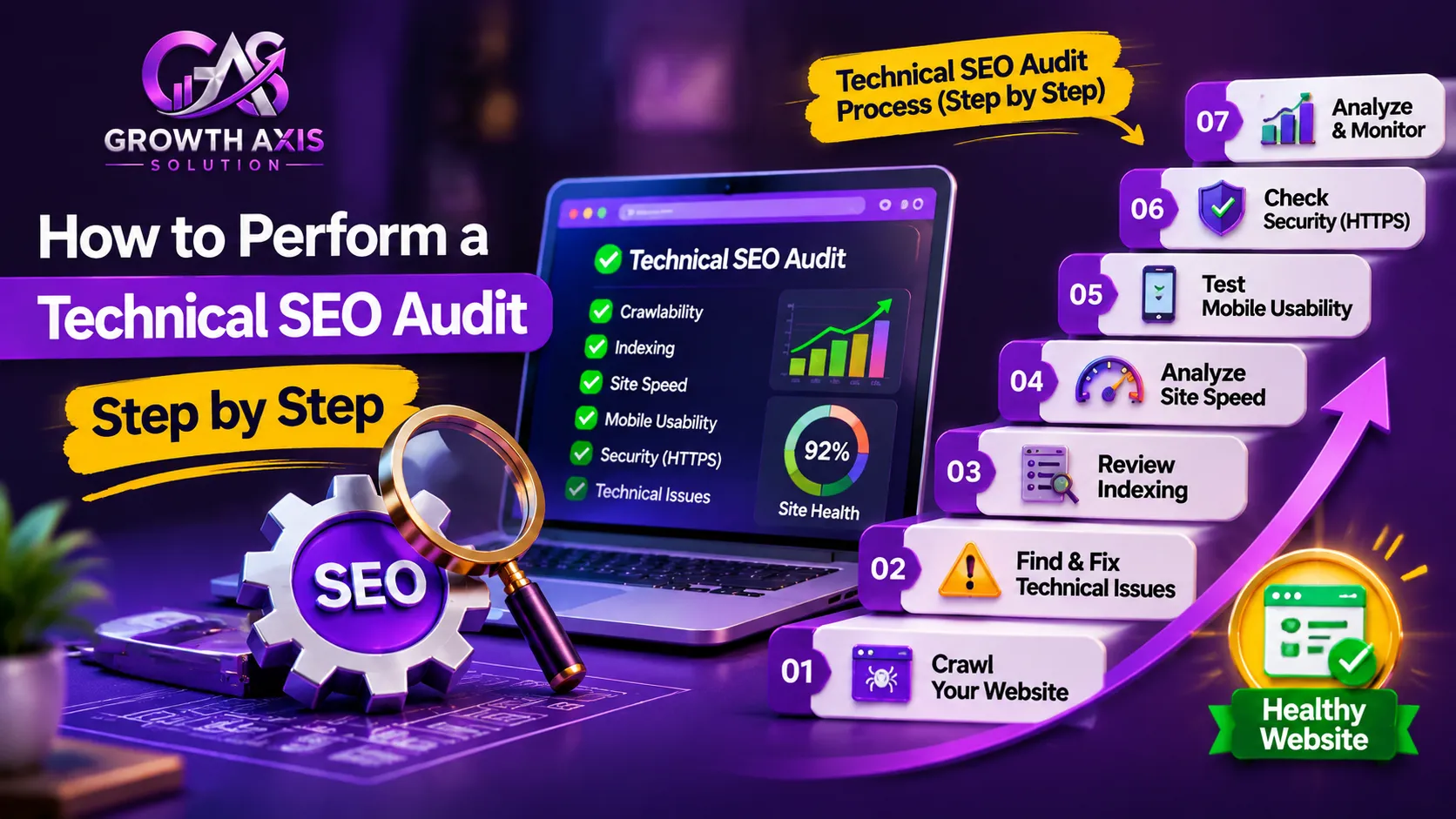
A structured workflow prevents teams from collecting reports without taking meaningful action.
Follow this six-stage process.
Step 1: Define the audit scope
Record the website’s domain, platform, number of important URLs, target markets, primary services, and conversion goals.
Decide whether you are auditing the entire website or focusing on a particular section.
Step 2: Collect baseline information
Export relevant Search Console data, review analytics, record current Core Web Vitals, and crawl the website using an appropriate tool.
Save the original reports so you can compare results after implementation.
Step 3: Crawl the website
Use Screaming Frog, Sitebulb, Ahrefs, or Semrush to collect information about:
- Response codes.
- Page titles.
- Meta descriptions.
- H1 headings.
- Canonical URLs.
- Internal links.
- Redirects.
- Noindex directives.
- Images.
- Structured data.
Configure the crawler appropriately, particularly when working with JavaScript websites.
Step 4: Compare crawl data with Google Search Console
A third-party crawler shows what its own crawler can discover.
Search Console shows information about Google’s crawling and indexing of your website.
These datasets are not identical.
Compare important URLs, investigate indexing exclusions, inspect selected live pages, and verify Google’s chosen canonical URLs.
Step 5: Create an implementation plan
Document each issue, affected URL, evidence, business impact, recommended solution, responsible person, and deadline.
Group similar problems together.
For example, if 100 product pages share the same incorrect canonical configuration, correcting the underlying template may resolve the issue more efficiently than editing each page individually.
Step 6: Validate and monitor improvements
After developers implement changes, repeat the relevant tests.
Check the live URLs, compare crawl reports, and monitor Search Console.
Request indexing for selected updated pages when appropriate, but remember that Google does not guarantee immediate crawling or indexing.
Google explains this process in its URL Inspection and recrawling guidance.
Special Technical SEO Checks for WordPress and Ecommerce Websites
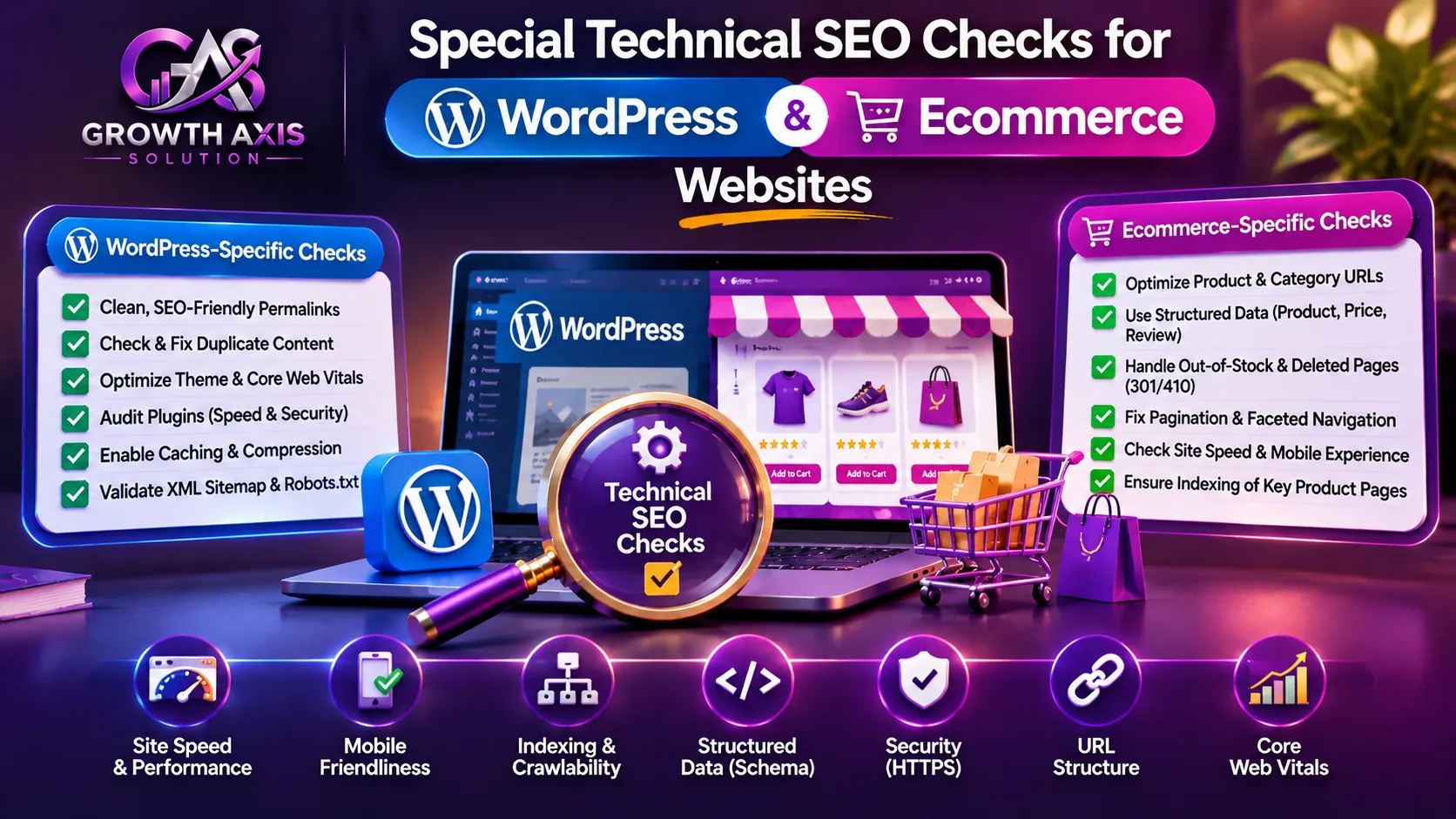
Different platforms introduce different technical risks.
A WordPress website may experience problems from plugins, themes, caching, or page builders.
An ecommerce website may generate thousands of URLs through filters, sorting, product variants, and search parameters.
WordPress technical audit
Review the following:
- SEO plugin configuration.
- XML sitemap generation.
- Permalink settings.
- Canonical tags.
- Robots meta directives.
- Theme-generated heading structure.
- Plugin conflicts.
- Caching and performance.
- Image optimization.
- Mobile rendering.
Do not install several SEO plugins that attempt to manage the same metadata or schema without understanding how they interact.
Ecommerce technical audit
Ecommerce websites need additional attention to:
- Product variant URLs.
- Faceted navigation.
- Sorting parameters.
- Pagination.
- Out-of-stock products.
- Discontinued products.
- Duplicate product descriptions.
- Product schema.
- Category page indexing.
- Internal product discovery.
For example, a product filter can generate hundreds of URL variations.
If Google discovers every possible combination, crawling may become less efficient.
Use a deliberate strategy for crawlable filters, canonicals, noindex directives, and URL parameters based on the actual search value of each page.
Google’s crawl budget documentation explains that advanced crawl-budget optimization mainly concerns very large or frequently updated websites.
Most small websites do not need complicated crawl-budget management.
Technical SEO During Website Migration and Redesign
A website redesign can improve branding and usability, but careless technical changes can disrupt established search visibility.
Before launching a new website, prepare a migration checklist.
- Crawl and export all existing important URLs.
- Map old URLs to relevant new destinations.
- Prepare permanent redirects.
- Preserve valuable page content and metadata.
- Check canonical tags.
- Review robots.txt and noindex settings.
- Verify XML sitemaps.
- Test mobile and desktop rendering.
- Check internal links and navigation.
- Validate analytics and conversion tracking.
- Remove staging restrictions from production.
- Monitor indexing and server errors after launch.
Keep the old URL inventory and redirect map for future reference.
Do not delete an old page simply because a new design looks different. Preserve useful information and redirect only when a suitable replacement exists.
For larger migrations, monitor server logs and Search Console closely during the transition.
Common Technical SEO Mistakes to Avoid
Even businesses that use professional SEO tools can overlook important problems.
- Treating every warning as critical: Not all automated audit issues affect important pages. Review context before assigning development resources.
- Blocking pages through robots.txt unintentionally: A single incorrect rule can affect an entire website section.
- Using noindex and canonical incorrectly: These directives serve different purposes and should not be treated as interchangeable.
- Ignoring mobile rendering: A page that looks perfect on desktop may hide important content on mobile.
- Creating unnecessary redirects: Long redirect chains make navigation and crawling less efficient.
- Relying only on automated crawlers: Crawler reports do not fully reproduce Google’s indexing decisions.
- Ignoring JavaScript errors: Important information may fail to appear in rendered pages.
- Overusing structured data: Irrelevant or misleading markup can cause eligibility problems.
- Changing URLs without a migration plan: Poor redirect mapping can damage the user journey and organic visibility.
- Never checking completed fixes: A developer’s confirmation is not a substitute for technical validation.
Google’s Search spam policies also explain practices that can create search visibility risks.
How Technical SEO Supports Small Business Digital Marketing
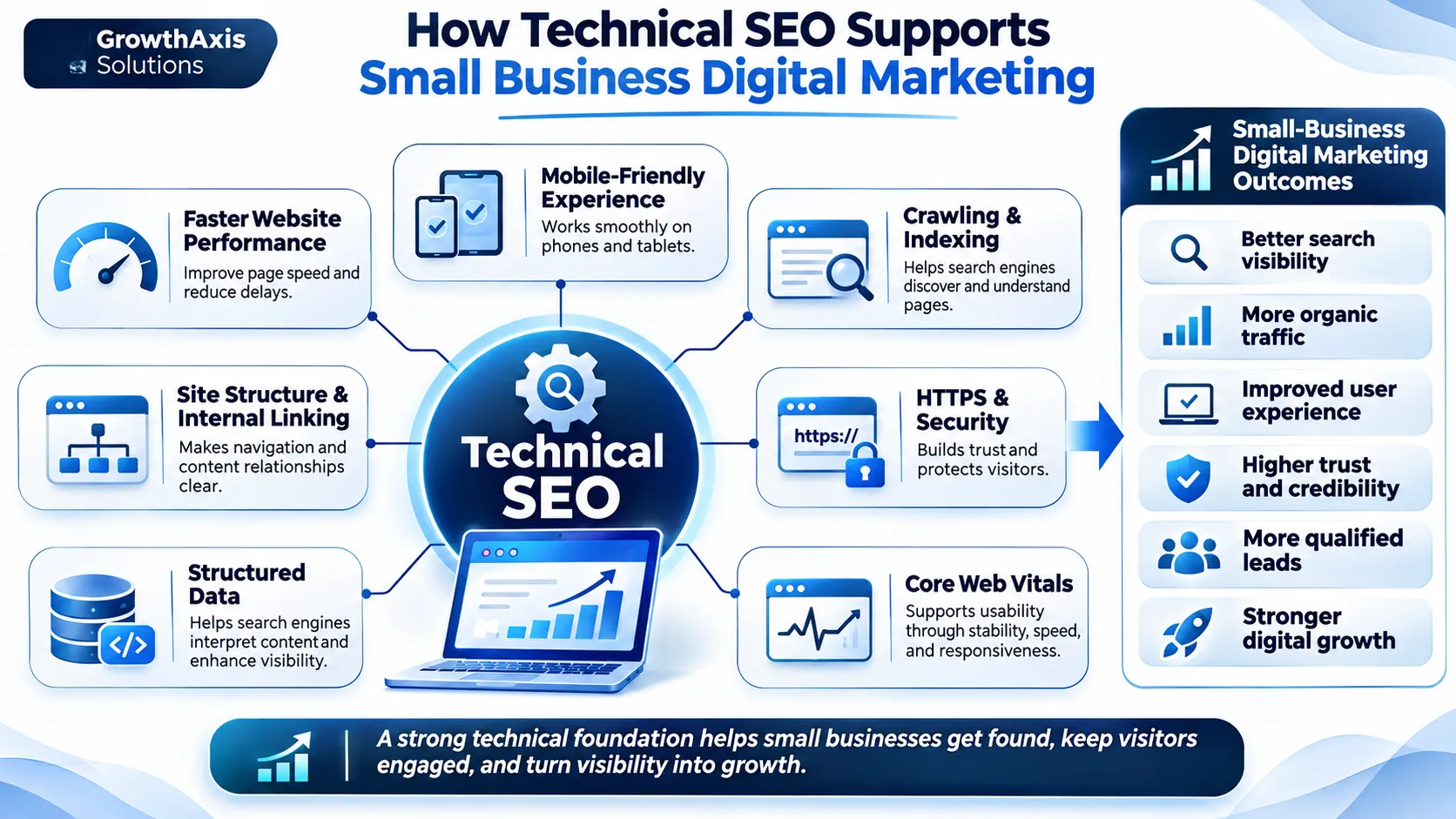
Technical SEO is not an isolated activity. It supports the website infrastructure used by organic search, paid advertising, social campaigns, and other customer acquisition channels.
For example, a digital marketing agency for small business should examine the website’s technical foundation before sending significant campaign traffic to important landing pages.
This is especially relevant to digital marketing for small business, where limited budgets make website efficiency and conversion performance important.
A reliable technical foundation also supports digital marketing for local businesses, including location pages, service information, mobile usability, and local business details.
Businesses comparing digital marketing companies for small business should therefore consider whether their chosen provider understands technical website health as well as campaign management.
Likewise, a digital marketing company for small business should connect SEO improvements with the website’s wider marketing objectives.
For organizations exploring digital marketing and small business growth, technical improvements can strengthen the foundation on which other marketing activities depend.
GrowthAxis Solutions connects these requirements through its digital services.
- Technical SEO services: Crawlability, indexing, website architecture, and core page experience.
- SEO & AI Search services: Traditional search visibility and AI-powered discovery.
- On-Page SEO services: Titles, headings, content structure, and internal linking.
- Digital Marketing services: Connected marketing strategy and campaign execution.
- Content Marketing services: Search-focused content planning and useful customer resources.
These services can support digital marketing services for small business requirements and broader digital marketing strategies for small business owners.
For companies preparing examples of marketing plan for small business, technical website health should be included alongside SEO, content, paid campaigns, and conversion measurement.
The objective is to build a website that supports the entire customer journey rather than focusing only on search rankings.
Expert Tips: How Often Should You Perform a Technical SEO Audit?
Audit frequency depends on website size, publishing activity, platform complexity, and business risk.
A small business website may benefit from a comprehensive audit every quarter, combined with automated monitoring.
An ecommerce website with frequent product and template changes may require more frequent technical checks.
Use this practical schedule:
| Frequency | Recommended activity |
|---|---|
| Weekly | Review major indexing, uptime, and server issues |
| Monthly | Check broken links, crawl errors, performance, and sitemap health |
| Quarterly | Conduct a broader technical SEO audit |
| Before website launch | Perform a complete pre-launch audit |
| After migration | Validate redirects, indexing, canonicals, and sitemaps |
| After major updates | Test affected templates, plugins, and important URLs |
A technical SEO audit should produce an actionable report, not just a score.
Your report should include the problem, evidence, affected URLs, business impact, recommended fix, responsible team member, and completion status.
This makes it easier for marketing managers, developers, and business owners to work together.
Conclusion
A technical SEO audit checklist helps businesses identify the hidden website problems that limit crawling, indexing, performance, and search visibility. Start with critical accessibility and indexing issues, then improve site structure, speed, mobile experience, and security. Review changes regularly instead of treating SEO as a one-time task. Contact GrowthAxis Solutions for a practical technical SEO audit and improvement strategy.
Frequently Asked Questions
1. What is a technical SEO audit checklist?
A technical SEO audit checklist is a structured list of website checks used to identify problems affecting search engine crawling, indexing, rendering, performance, security, and usability.
It typically includes robots.txt, XML sitemaps, canonical tags, HTTP status codes, redirects, Core Web Vitals, mobile usability, JavaScript rendering, and structured data.
Businesses use it to identify technical problems and organize improvements according to their importance.
2. How often should I perform a technical SEO audit?
Most small business websites should perform a comprehensive audit approximately every three months.
However, larger ecommerce websites or websites undergoing frequent development changes may need more frequent reviews.
You should also perform an audit before launching a redesigned website, changing hosting providers, migrating domains, or making significant URL structure changes.
3. Which tools are best for a technical SEO audit?
Google Search Console, PageSpeed Insights, Lighthouse, Screaming Frog, Ahrefs, and Semrush are useful technical SEO tools.
Google Search Console helps identify indexing and search performance problems. Crawling tools discover broken links, redirects, duplicate metadata, and other technical issues.
Choose tools based on your website size, budget, and reporting requirements.
4. What is the difference between crawling and indexing?
Crawling occurs when a search engine bot retrieves a webpage and examines its resources.
Indexing occurs when the search engine processes the page and decides whether to include it in its search database.
A page can be crawled without being indexed. Businesses should therefore monitor both crawling accessibility and indexing eligibility.
5. Does website speed affect SEO rankings?
Website speed contributes to page experience, and Core Web Vitals are used by Google’s ranking systems.
The three Core Web Vitals are LCP, INP, and CLS.
Good targets are LCP within 2.5 seconds, INP below 200 milliseconds, and CLS at or below 0.1.
However, good performance scores do not guarantee high rankings. Content relevance and other ranking systems remain important.
6. How do I check whether Google has indexed my website?
Open Google Search Console and use the URL Inspection tool.
Enter the complete URL of the page you want to inspect.
The report provides information about Google’s indexed version, crawling status, indexability, and selected canonical URL.
You can also run a live test to investigate whether Google can currently access and process the page.
7. What is the difference between robots.txt and noindex?
Robots.txt controls whether compliant search engine crawlers can access specific URLs or resources.
A noindex directive tells search engines not to include an accessible page in their index.
They solve different problems.
If you want Google to recognize a noindex directive, Google generally needs to crawl the page and see that instruction. Blocking the page in robots.txt can prevent that.
8. Does every website need crawl budget optimization?
No. Most small and medium-sized websites do not need advanced crawl-budget management.
Google primarily recommends advanced crawl-budget optimization for very large websites or websites with rapidly changing URL inventories.
Smaller websites should focus on valid sitemaps, useful internal links, accessible content, and removing unnecessary duplicate URLs.
9. What should a technical SEO audit report contain?
A professional report should contain:
- Audit scope and website details.
- Crawling and indexing findings.
- Technical errors and warnings.
- Performance and Core Web Vitals.
- Internal linking and URL issues.
- Security and structured data findings.
- Affected URLs and supporting evidence.
- Recommended fixes.
- Priority and implementation effort.
- Follow-up testing and monitoring.
This structure makes the report useful for both website owners and developers.
10. Can technical SEO improve website conversions?
Yes, technical improvements can support conversions by making websites faster, more accessible, reliable, and easier to navigate.
For example, fixing broken forms, improving mobile layouts, reducing loading delays, and resolving checkout errors can help visitors complete important actions.
Technical SEO does not guarantee more sales by itself, but a healthier website provides a stronger foundation for marketing and conversion optimization.