
Server-Side Tracking: A Practical Marketing Guide
Missing conversions, incomplete analytics, and browser restrictions can undermine marketing decisions. Server-side tracking gives businesses greater control over how they collect, process, and share measurement data.
Modern digital marketing depends on reliable conversion measurement. This guide explains server-side tracking, its differences from browser-based tracking, Google Tag Manager implementation, Meta Conversions API, Google Ads, GA4, Shopify, privacy requirements, and available tools. Discover how to build a practical measurement system that supports better marketing decisions.
What Is Server-Side Tracking?
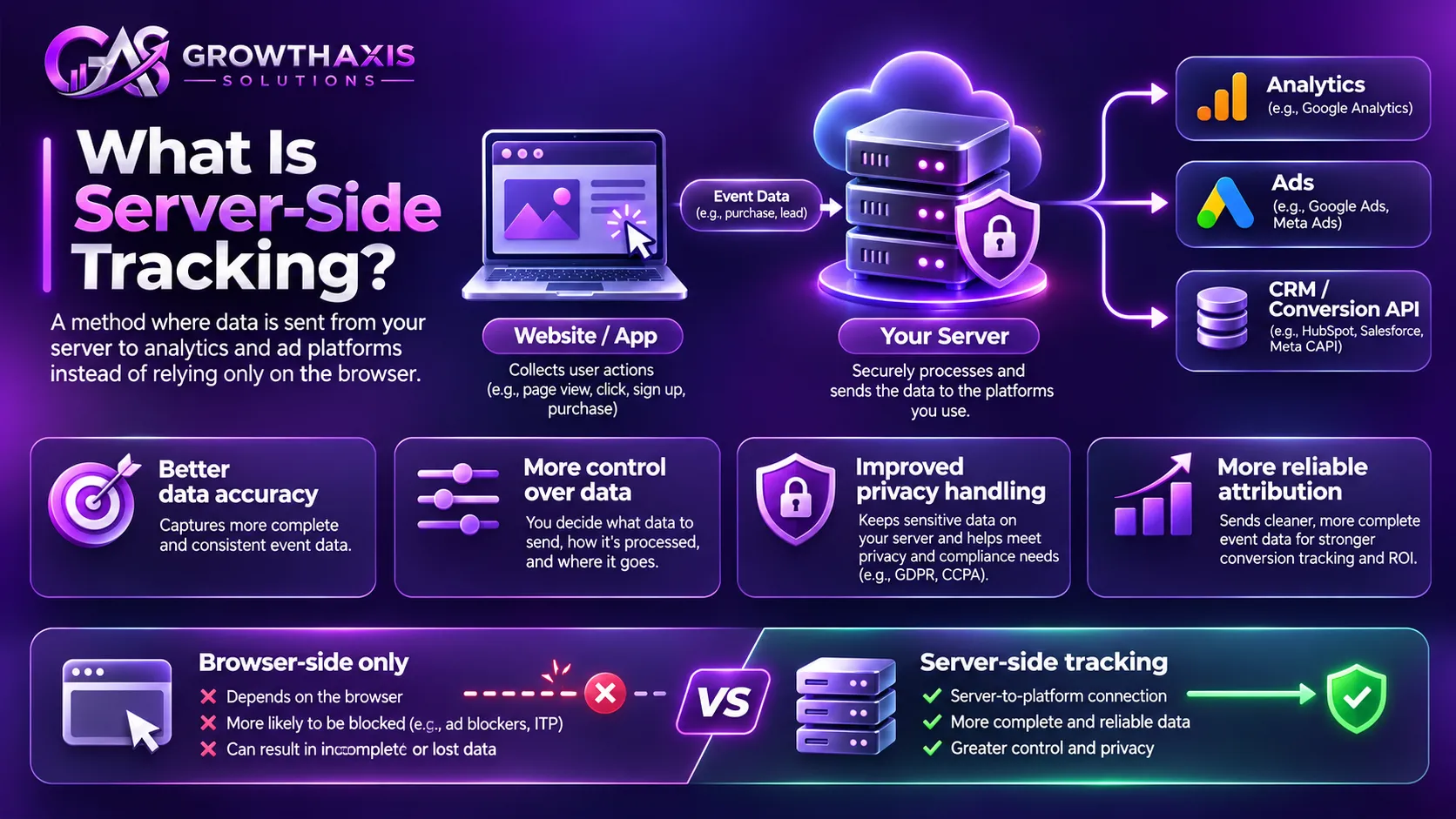
Server-side tracking is a data collection and measurement approach that processes website or application events through a server before sending relevant information to analytics and advertising platforms.
Traditional tracking often relies on JavaScript running directly in a visitor’s browser. These scripts collect information about page views, button clicks, purchases, form submissions, and other interactions before sending events to external platforms.
With server-side tracking, an additional processing layer receives measurement information and determines which data should reach each destination.
For example, imagine a customer purchasing a product from an online store.
The website records the purchase, including the transaction ID, product information, order value, and currency. Instead of relying exclusively on a browser pixel to report the transaction, the website can send the purchase event through a server environment.
That server can validate the event, remove unnecessary information, and forward the appropriate data to Google Analytics 4, Google Ads, Meta Conversions API, or other destinations.
The important distinction is that the server becomes an additional control point between data collection and external platforms.
Google describes this approach in its official Google Tag Manager server-side tagging documentation.
Server-side tagging versus backend event tracking
These terms often appear together, but they are not exactly the same.
Server-side tagging commonly uses a dedicated tagging environment, such as a Google Tag Manager server container. The website’s web container sends measurement requests to that environment, which processes and forwards them.
Backend event tracking sends events directly from an application’s backend, ecommerce platform, CRM, or database to an analytics or advertising destination.
For example, a Shopify order webhook or a CRM update can generate an event without depending on a browser-based purchase confirmation.
Both approaches can form part of a wider server-side tracking architecture.
Understanding this distinction prevents businesses from purchasing a server tagging solution when their actual requirement is a direct backend integration.
Why has this approach become important?
Browsers increasingly apply restrictions to cookies, scripts, and cross-site tracking. Ad blockers can also prevent certain measurement requests from reaching external platforms.
Consequently, marketers may see differences between their internal order records and the conversions reported by advertising platforms.
Server-side processing can reduce some of these gaps by providing another route for event delivery.
However, it does not guarantee complete measurement. If the original interaction never reaches the website or backend, a server cannot reconstruct it reliably without another legitimate data source.
Client-Side vs Server-Side Tracking: What Is the Difference?
Understanding both approaches is essential before deciding how to implement a tracking system.
| Comparison factor | Client-side tracking | Server-side tracking |
|---|---|---|
| Processing location | User’s browser | Server or cloud environment |
| Data collection | JavaScript and browser pixels | Server requests, APIs, webhooks, or forwarded events |
| Browser information | Direct access to browser context | Requires browser context to be passed when needed |
| Ad blocker impact | Can block browser tracking requests | Can reduce some browser-to-vendor request losses |
| Data control | Depends heavily on browser scripts and destinations | Greater control over filtering and routing |
| Website performance | Multiple scripts can increase browser workload | Can reduce vendor-specific browser scripts |
| Implementation | Usually simpler | Requires additional infrastructure and configuration |
| Maintenance | Tag and pixel management | Server, tag, integration, and monitoring management |
| Privacy management | Browser-based consent and tag controls | Requires consent-aware server processing as well |
| Best applications | Page views, clicks, browser behavior | Purchases, subscriptions, CRM events, and conversion forwarding |
Client-side tracking offers useful browser context, including UTM parameters, referrer information, and user interactions.
Server-side tracking offers more control over event processing and destination delivery.
Neither approach should automatically replace the other.
For most businesses, a hybrid architecture provides a more practical solution: collect browser-specific information where appropriate, then use server processing for important business events.
Server-Side Tracking Benefits and Limitations
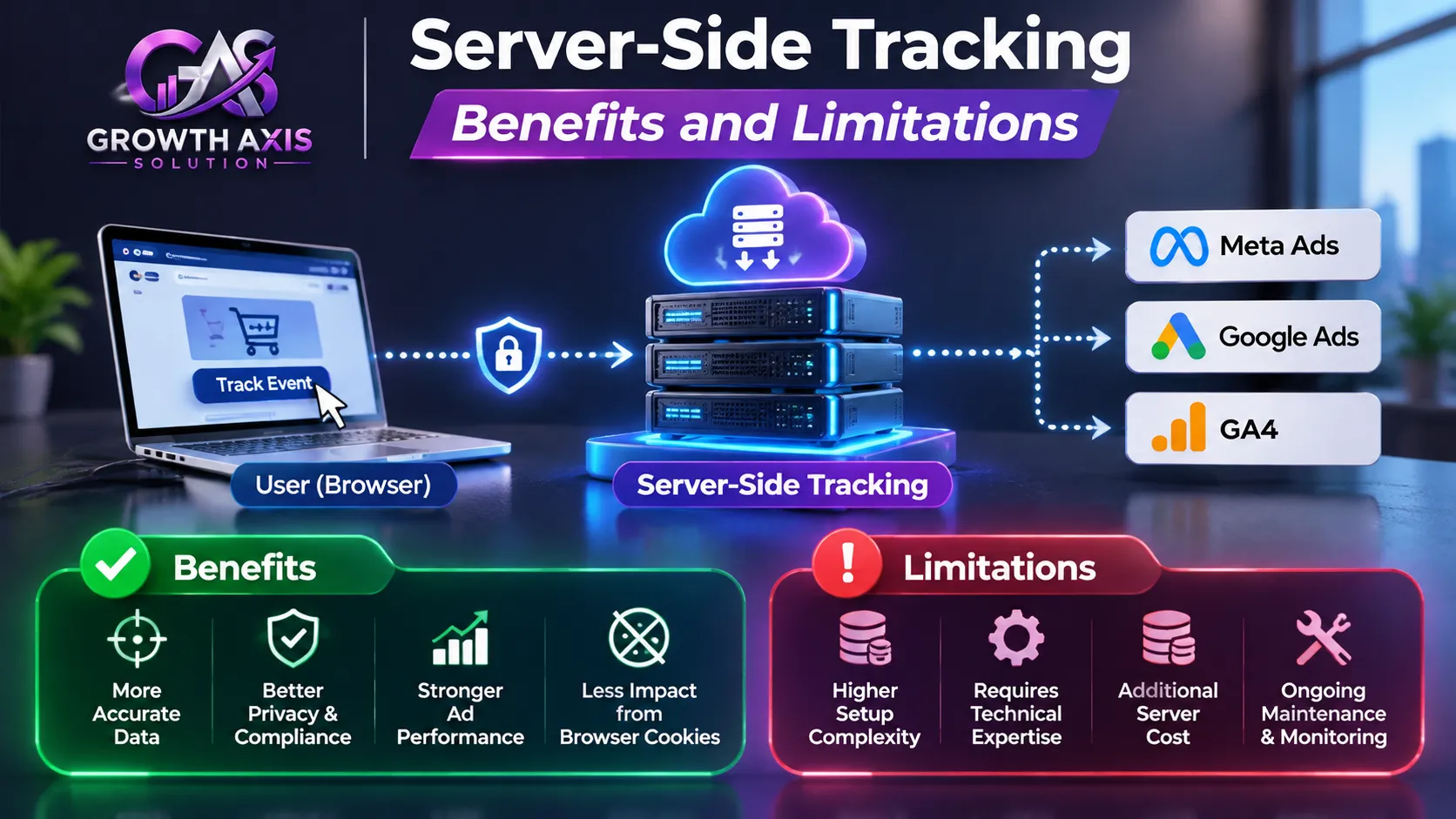
Businesses often explore server side tagging because they want better measurement, more control over customer information, and fewer tracking gaps.
The benefits can be significant, but implementation quality determines the actual outcome.
- Greater control over customer data: A server container allows businesses to decide which event parameters each destination receives. For example, an analytics platform may need purchase value and currency but not a customer’s complete delivery address.
- Reduced dependency on browser-to-vendor requests: Sending events through a first-party server endpoint can reduce losses caused by certain blocked third-party requests. However, browser requests can still be blocked, so this does not eliminate tracking restrictions.
- Potential website performance improvements: Moving some vendor tag processing away from the browser can reduce client-side JavaScript and third-party requests. Actual performance improvements depend on implementation, hosting, and the remaining scripts.
- Better conversion event control: Businesses can validate purchase values, remove invalid events, and standardize event parameters before forwarding them to marketing platforms.
- Flexible destination management: One server environment can route appropriate events to Google Analytics, Google Ads, Meta, and other supported services.
- Improved first-party data management: A properly configured custom domain can support first-party measurement architecture, subject to browser restrictions and applicable privacy requirements.
- Additional infrastructure and maintenance: Hosting, monitoring, configuration, debugging, and development create ongoing responsibilities that ordinary browser-based tracking may not require.
- No automatic privacy compliance: Processing data on your own server does not remove consent requirements or make personal data anonymous.
These server side tracking benefits are most valuable when the business has meaningful conversion volume, several marketing destinations, and a clear need for stronger data governance.
A small website with basic analytics requirements may not need a complex server environment immediately.
How Server-Side Tracking Works: Understanding the Data Flow
A practical server-side tracking architecture has several connected stages.
1. A visitor interacts with the website
A visitor views a product, submits a form, registers an account, or completes a purchase.
The website or application recognizes the interaction and creates an event.
For example, an ecommerce purchase might contain:
- Event name:
purchase - Transaction ID:
ORD-1025 - Currency:
USD - Value:
149.99 - Items: Product identifiers and quantities
- Event timestamp: Actual purchase time
These fields describe the event and help the receiving platform interpret it.
2. The event reaches the server
In a Google Tag Manager architecture, the website’s web container sends a measurement request to a server container.
A backend implementation can instead send an event through an API or webhook.
The server receives the request and processes the information according to the configured rules.
3. The server processes the event
The server container uses clients, variables, triggers, tags, and transformations to interpret and manage incoming information.
For example, it can check whether a purchase contains a valid transaction ID and remove fields that a particular destination does not need.
4. Data reaches the appropriate platforms
The server sends approved event information to the selected destinations.
A purchase event might reach GA4 and Google Ads, while an appropriately configured conversion event also reaches Meta through its Conversions API.
Each platform receives data in its required format.
5. The marketer validates the results
The business checks whether the event arrived, whether its parameters are correct, and whether duplicate conversions occurred.
This validation is essential. A successful server request does not automatically prove that the destination has recorded the conversion correctly.
The architecture creates a more controlled measurement environment, but accurate results still depend on correct event design and reliable source data.
How to Set Up Google Tag Manager Server-Side Tracking
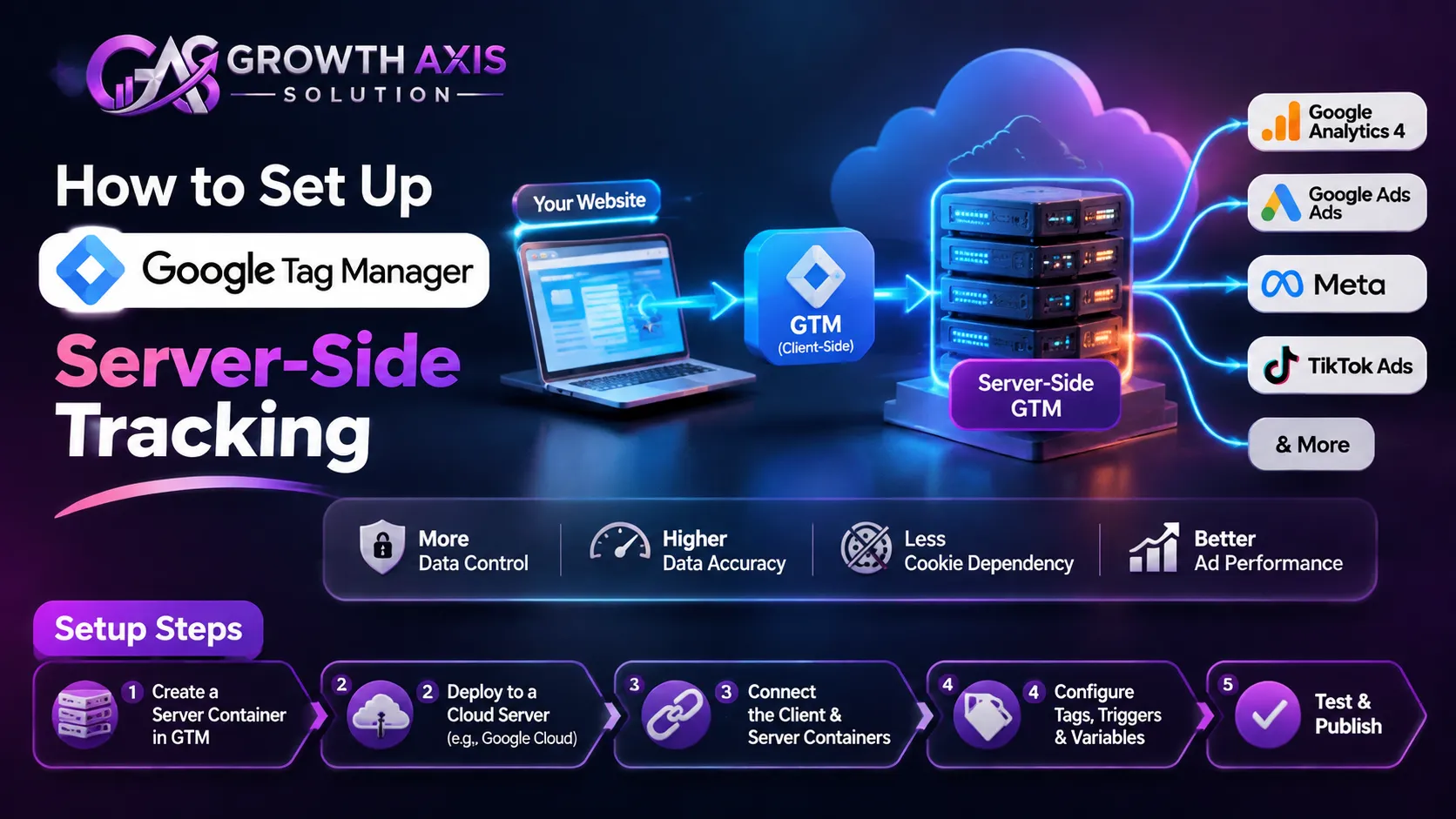
Google Tag Manager server side tracking is one of the most common ways to implement a server-side tagging architecture.
It uses two containers: a web container and a server container.
Google provides official deployment options through Google Cloud and other supported infrastructure.
Step 1: Create a server container
Open your Google Tag Manager account.
Create a new container and select Server as the target platform.
Your existing web container remains responsible for collecting browser events. The new server container handles incoming requests and destination processing.
Step 2: Deploy the tagging server
Google supports automatic provisioning through Google Cloud Run and manual deployment options.
Cloud Run provides a managed infrastructure environment that can scale according to workload.
For other infrastructure choices, follow Google’s server-side tagging setup guide.
Remember that the hosting environment creates recurring infrastructure costs depending on resource consumption and configuration.
Step 3: Configure a custom domain
A custom subdomain can provide a more consistent first-party tagging architecture.
For example:
metrics.example.com
The domain must point to the tagging server through the required DNS and hosting configuration.
You should also configure HTTPS and verify that the endpoint works correctly.
A custom domain does not guarantee that every browser will accept or retain tracking identifiers. Browser privacy protections still apply.
Step 4: Connect the web container
Configure the Google tag or appropriate measurement setup to send events to the server container URL.
Google supports routing through Tag Manager or gtag.js.
The web container sends measurement requests to the server, where the Google Analytics client or another suitable client interprets them.
See Google’s guide to sending data to a server-side container.
Step 5: Configure server-side tags
Create destination tags for the platforms you want to use.
For example, a GA4 event can trigger a Google Ads conversion tag when the event meets the required conditions.
Configure the event parameters carefully.
Avoid forwarding every available field to every platform. Each destination should receive only the information necessary for its intended purpose.
Step 6: Test and publish
Use Google Tag Manager Preview and Tag Assistant to inspect incoming requests, server events, fired tags, and errors.
Check that the server receives the expected events and that destination tags execute correctly.
Publish only after testing the complete event journey.
For additional implementation guidance, Google provides its server-side tagging learning resources.
Google Analytics 4 Server-Side Tracking
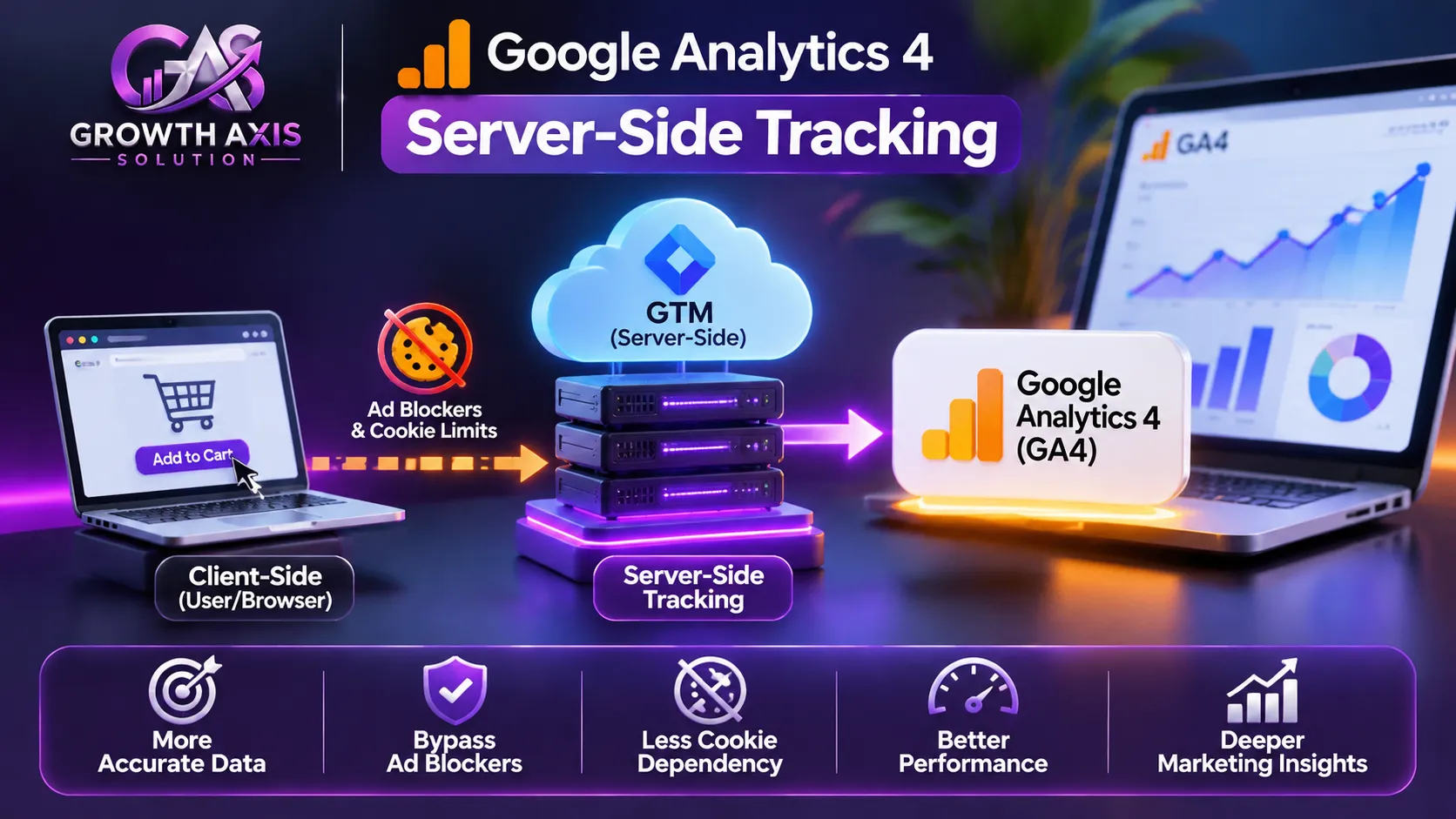
Server side tracking Google Analytics implementations help businesses send website and backend events through a controlled processing environment.
Google Tag Manager provides a GA4 client that can receive and interpret incoming measurement requests.
A typical implementation sends browser events through a server container before forwarding them to the GA4 destination.
Businesses can also use the GA4 Measurement Protocol to send suitable events from backend systems.
For example, a subscription company might use its payment database to confirm that a subscription renewal succeeded.
The backend can send the corresponding event to GA4 instead of relying exclusively on a browser confirmation page.
However, several details require attention.
Preserve measurement context
GA4 uses identifiers and session information to associate events with relevant measurement activity.
If a backend event lacks the correct client or session context, reporting and attribution may become less useful.
Pass the necessary measurement information through an approved implementation rather than inventing identifiers or assigning unrelated events to existing sessions.
Use consistent event names
Use GA4’s recommended event names where appropriate.
For ecommerce, events such as view_item, add_to_cart, begin_checkout, and purchase support a consistent measurement structure.
A well-designed event schema makes reporting and debugging easier.
Avoid sending personal information
Google Analytics prohibits sending personally identifiable information such as email addresses, phone numbers, and similar identifiers through ordinary Analytics collection.
Review Google’s PII prevention guidance before forwarding event parameters.
A server container provides an opportunity to filter sensitive information before it reaches GA4.
Google Ads Server-Side Tracking and Enhanced Conversions
Google Ads server side tracking can help businesses send conversion information through a server-side implementation.
This is particularly useful when a website needs to measure purchases, qualified leads, subscriptions, or other important actions.
Google’s official server-side conversion implementation uses a web container, a server container, and the appropriate Google Ads configuration.
The setup generally includes a Conversion Linker tag, a GA4 event or key event, and a server-side Google Ads Conversion Tracking tag.
Read the official Google Ads server-side conversion setup guide.
What are Enhanced Conversions?
Enhanced Conversions use eligible first-party customer-provided information to improve conversion matching.
For example, a customer might complete a purchase after clicking a Google advertisement.
The advertiser may collect an eligible email address during checkout and, when properly configured and permitted, send the appropriately normalized and hashed information through Google’s supported Enhanced Conversions implementation.
Google uses the information to improve conversion measurement.
Learn more from Google’s Enhanced Conversions documentation.
Why does accurate conversion data matter?
Advertising platforms use conversion information to understand which interactions lead to valuable business outcomes.
Incorrect purchase values, duplicate events, missing identifiers, and poorly configured consent settings can reduce the usefulness of this information.
A properly implemented server-side architecture can help improve event consistency and conversion delivery.
Businesses running paid campaigns can also explore Google Ads and PPC management services to connect campaign strategy with reliable measurement.
Facebook and Meta Server-Side Tracking with Conversions API
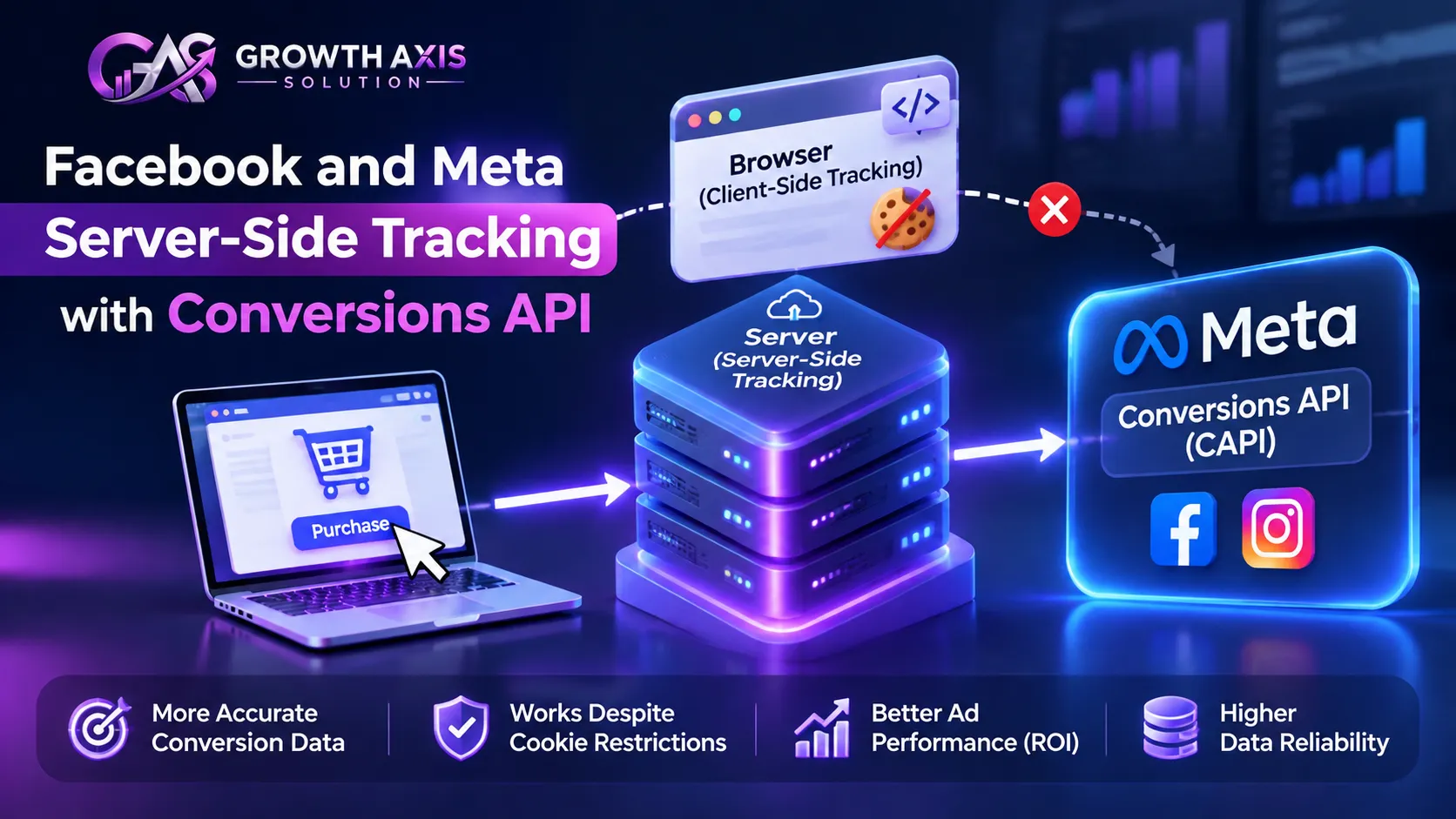
Server side tracking Facebook implementations commonly use Meta’s Conversions API, also known as CAPI.
The API allows businesses to send website, app, and offline conversion events directly from a server environment to Meta.
It complements the Meta Pixel, which collects supported events through the visitor’s browser.
For example, an online store may send a purchase event through the browser pixel and independently send the same purchase through its server integration.
This creates an opportunity to recover some events that the browser implementation did not deliver.
However, the two events must be configured correctly to avoid double-counting.
How does event deduplication work?
Meta uses event names and event IDs to identify duplicate browser and server events.
For the same customer action, the browser event should include an eventID, while the server event should include the matching event_id.
Both events must also use the same event name.
For example:
Browser event:
event_name: Purchase
eventID: ORDER-1025
Server event:
event_name: Purchase
event_id: ORDER-1025
Meta can use these matching values to recognize that both events represent one purchase.
If the identifiers do not match, the platform may count the events separately.
Implementing Facebook Conversion API through GTM
A facebook conversion api gtm server side implementation typically connects a GTM server container with Meta’s Conversions API destination.
The web container captures the required browser information and generates the event identifier.
The server container receives the event and forwards the appropriate parameters to Meta.
The implementation should preserve the same event ID across both routes.
You should also check event time, event source URL, action source, customer information parameters, and consent status.
Use Meta’s Conversions API documentation and Meta Blueprint training for implementation guidance.
How to test Meta events
Open Meta Events Manager and use Test Events to verify that the browser and server events arrive.
Review the event name, ID, source, and available matching information.
After publishing, monitor the event diagnostics and deduplication results.
For businesses running Facebook and Instagram advertising, Meta Ads management can complement accurate conversion measurement.
Shopify Server-Side Tracking for Ecommerce Businesses
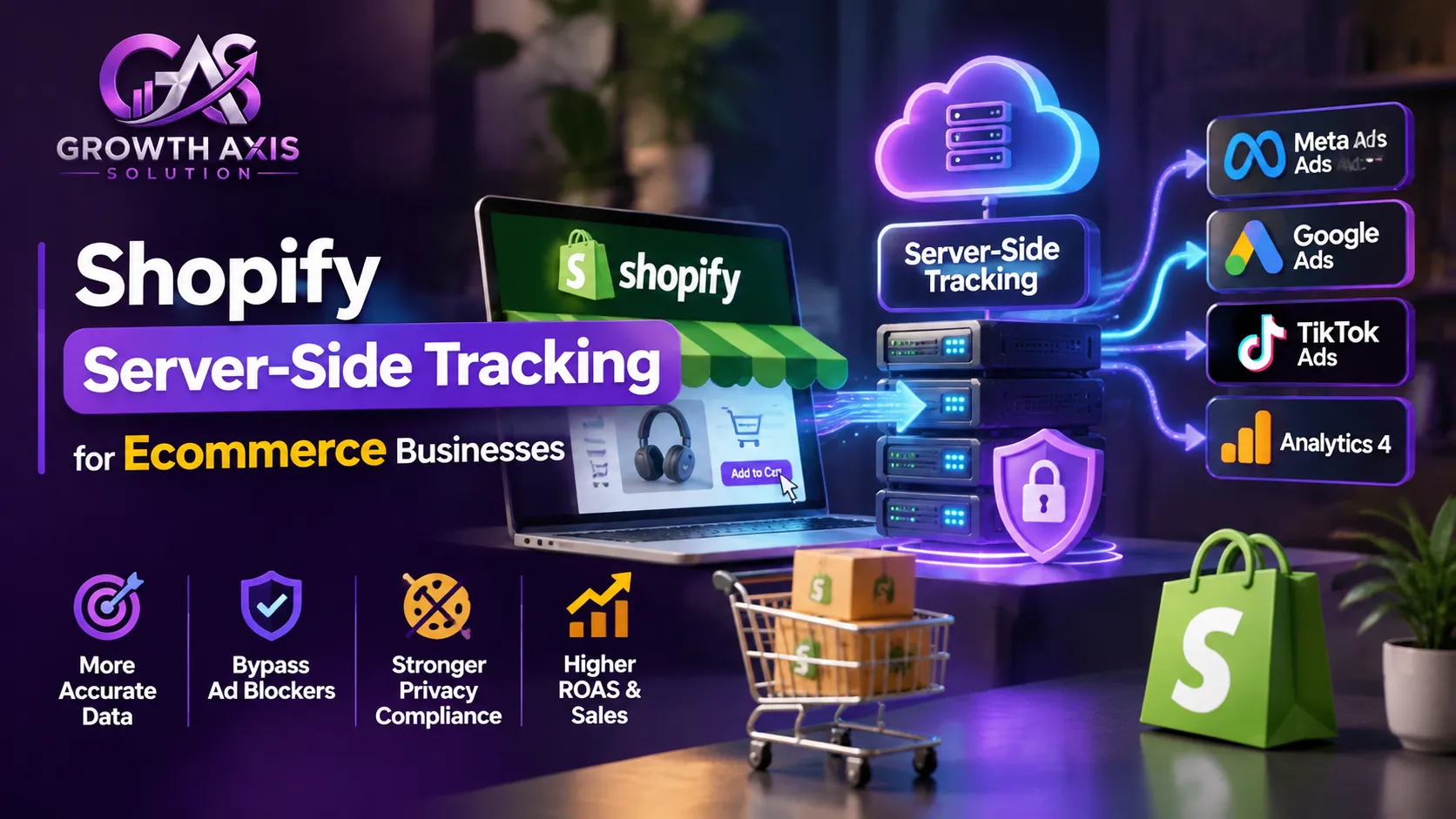
Shopify server side tracking helps ecommerce merchants send customer events to marketing and analytics platforms through supported server integrations.
Shopify provides a Customer Events system that supports app pixels, custom pixels, and different event transmission methods.
This is important because ecommerce businesses need accurate information about product views, cart activity, checkout progression, and purchases.
Shopify explains that web pixels transmit customer events through the browser, while server pixels transmit events through a server.
The two methods can complement each other.
What should Shopify stores track?
A useful ecommerce measurement plan includes product views, collection views, cart additions, checkout starts, purchases, and refunds where relevant.
Purchase information should come from a reliable order source whenever possible.
For example, the Shopify order record can provide the authoritative transaction value and order ID. A browser event can provide useful context about the customer’s browsing journey.
How to manage Shopify pixels
Shopify merchants can manage pixels through:
Shopify Admin → Settings → Customer Events
Shopify recommends using supported app pixel integrations when they meet the business requirement.
Custom pixels require additional technical knowledge and responsibility for code, consent, and maintenance.
Review Shopify’s Pixels and Customer Events documentation.
Does server-side Shopify tracking guarantee complete attribution?
No.
Shopify maintains its own order records, but external advertising platforms may receive incomplete attribution information because of consent choices, browser limitations, or integration issues.
Server pixels can improve event delivery, but they must still respect customer privacy settings.
For more technical information, see Shopify’s official app pixels guide.
Server-Side Tracking and GDPR: Privacy, Consent, and Data Protection
Server side tracking GDPR compliance requires more than moving measurement scripts from the browser to a server.
The General Data Protection Regulation applies to the processing of personal data, regardless of whether that processing occurs in a browser, cloud server, database, or marketing platform.
Server-side processing can improve data governance because businesses can inspect, filter, and route information before sharing it.
However, greater control also creates additional responsibility.
Under GDPR Article 5, businesses must consider principles such as lawfulness, fairness, transparency, purpose limitation, data minimization, accuracy, storage limitation, and security.
Article 6 requires an appropriate lawful basis for processing personal data.
Read the official GDPR text on EUR-Lex.
Cookie and device-access rules may also apply separately through the ePrivacy framework or national laws.
For example, the UK ICO explains that online advertising and related tracking technologies generally require consent under PECR, subject to applicable exceptions.
See the ICO guidance on cookies and similar technologies.
A practical privacy implementation checklist
- Obtain appropriate consent: Configure your consent management platform to communicate the visitor’s choices to both browser and server environments.
- Respect consent signals: Do not forward marketing or analytics events when the applicable consent state does not permit that processing.
- Minimize collected information: Only collect event parameters needed for the stated measurement purpose.
- Remove unnecessary identifiers: Avoid sending names, email addresses, phone numbers, or other sensitive information to destinations that do not need them.
- Secure server infrastructure: Use HTTPS, appropriate authentication, access controls, and secure credential management.
- Define retention periods: Establish how long event logs and other personal information remain in your infrastructure.
- Review third-party processors: Understand where hosting providers and advertising platforms process data and what contractual safeguards apply.
- Maintain transparency: Explain tracking purposes, destinations, and user choices through appropriate privacy notices.
- Document your implementation: Maintain records of data flows, consent decisions, processing purposes, and relevant technical safeguards.
Does hashing make personal data anonymous?
No.
Hashing can transform information into a different representation, but it does not automatically make personal data anonymous.
Where an identifier can still be linked to an individual, it may remain personal data or pseudonymous information under applicable privacy rules.
Never assume that hashing an email address removes all privacy obligations.
How does Google Consent Mode work with server-side tagging?
Google Consent Mode communicates visitor consent choices to Google tags.
The tags then adjust their behavior according to the relevant consent signals.
Google supports basic and advanced Consent Mode implementations.
In a server-side environment, the web container communicates consent information, and consent-aware server tags process events according to the applicable settings.
Google also explains how Consent Mode works with server-side GTM in its official implementation guide.
Consent Mode is not a consent banner or a legal compliance solution by itself. Businesses remain responsible for collecting and respecting appropriate user choices.
Best Server-Side Tracking Tools and Platforms Compared
Choosing the right platform depends on the website, event volume, advertising destinations, technical resources, and maintenance requirements.
The following options represent different approaches rather than interchangeable products.
| Tool or platform | Implementation type | Best suited for | Main consideration |
|---|---|---|---|
| Google Tag Manager Server-Side | Server container infrastructure | Flexible multi-platform tagging | Requires configuration and ongoing maintenance |
| Google Cloud Run | Cloud hosting | Businesses managing their own infrastructure | Usage-based infrastructure costs |
| Stape | Managed server-side GTM hosting | Agencies and technical marketing teams | Requires appropriate container and tag configuration |
| Addingwell | Managed server-side GTM | Teams wanting managed infrastructure and monitoring | Review plan limits and hosting requirements |
| TAGGRS | Managed server-side GTM | Agencies and businesses using GTM | Technical implementation still matters |
| Elevar | Ecommerce tracking platform | Shopify-focused businesses | Confirm supported integrations and event requirements |
| Littledata | Ecommerce analytics and tracking | Ecommerce merchants | Check platform compatibility and pricing |
| Twilio Segment | Customer data infrastructure | Businesses managing multiple data sources | Broader CDP capabilities may exceed small-business needs |
| CustomerLabs | First-party data and event management | Marketing and ecommerce teams | Evaluate event limits, destinations, and identity features |
These are examples of available platforms, not a ranking or endorsement.
Before choosing among server side tracking tools, determine whether you need managed GTM hosting, direct backend integrations, a Shopify-focused solution, or an enterprise customer data platform.
What should you evaluate before purchasing?
Check supported destinations, event limits, hosting locations, request pricing, monitoring, data retention, support availability, and consent integrations.
Also consider whether your team can maintain the implementation.
A lower monthly subscription may require more engineering time, while a managed service may reduce infrastructure responsibilities but increase recurring costs.
Server-Side Tracking Costs: What Should Businesses Budget For?
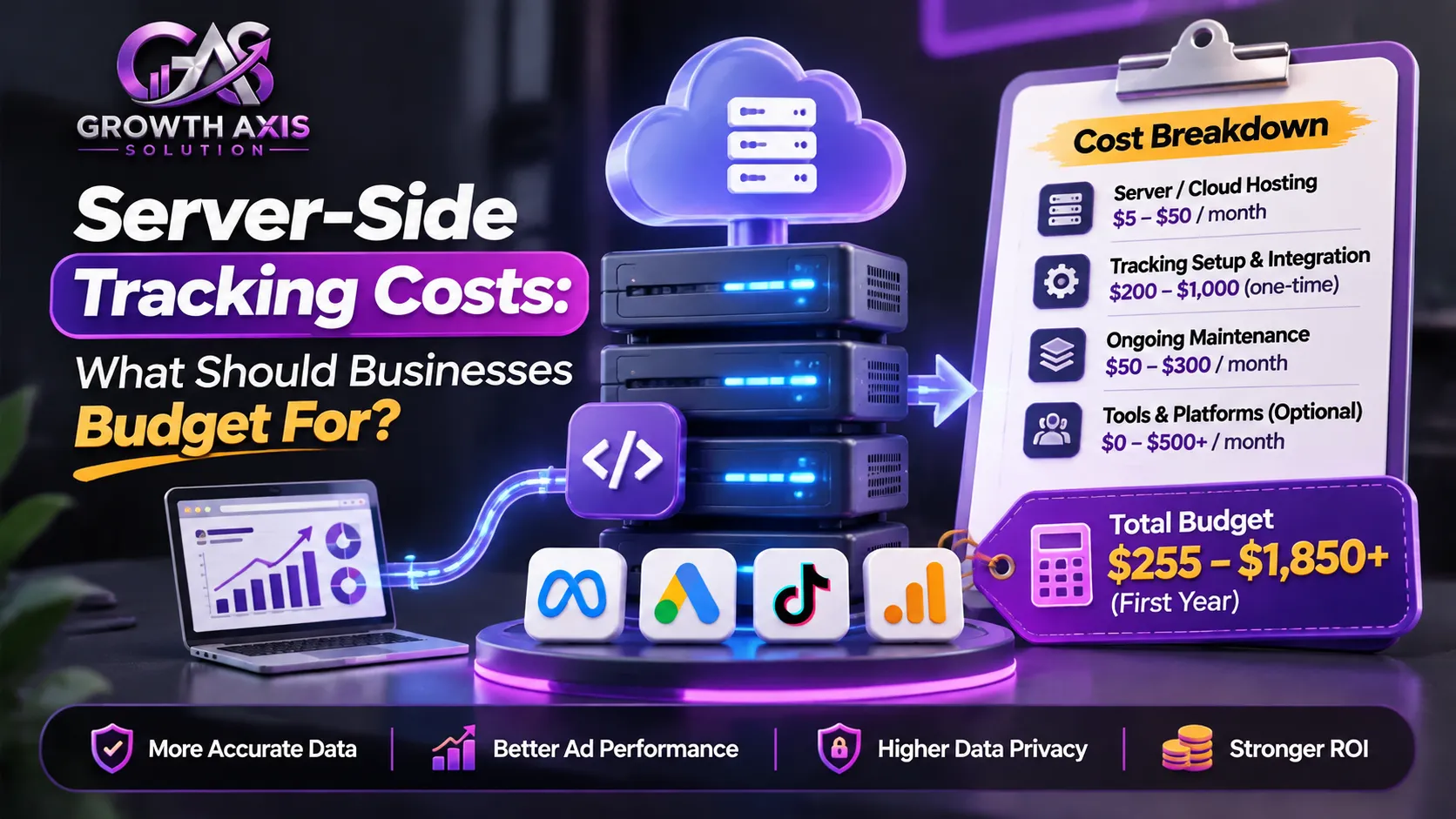
The total cost depends on the architecture and the amount of data processed.
A basic setup using Google Tag Manager and cloud hosting may have relatively modest infrastructure costs.
However, a production implementation requires more than simply creating a server container.
The budget should account for hosting, configuration, domain management, event mapping, testing, monitoring, maintenance, and technical support.
Example of a practical budget model
Consider a small ecommerce store processing 20,000 server requests per month.
Its total implementation cost could include the following categories:
| Cost category | What it covers | Budget consideration |
|---|---|---|
| Server hosting | Cloud infrastructure and processing | Depends on requests and resource usage |
| Tag management | Container configuration and event routing | Initial setup and future changes |
| Domain and security | DNS, HTTPS, and access controls | Setup and maintenance |
| Platform integration | GA4, Google Ads, and Meta | Depends on destination complexity |
| Consent management | Privacy signals and consent configuration | May require a CMP subscription |
| Monitoring | Logs, alerts, and diagnostics | Ongoing operational expense |
| Technical support | Troubleshooting and improvements | Internal or agency resources |
These are budget categories, not quoted prices.
Google Cloud Run pricing depends on usage and configuration. Managed providers also use different billing units, such as requests, events, orders, or subscription tiers.
Compare the complete implementation cost rather than looking only at the hosting subscription.
How can you calculate the potential return?
Imagine an advertising account that records 80 purchases in its reporting platform while the store’s internal order system confirms 100 eligible purchases.
The 20-event difference is a measurement discrepancy, not proof that the server-side implementation can recover all 20 purchases.
After investigating the cause, the business may find that some events were lost because of blocked browser requests, incorrect triggers, missing event identifiers, or integration problems.
A properly designed server implementation could improve the delivery of eligible events.
To evaluate financial value, compare the cost of implementation with the additional actionable measurement information and the business improvements it supports.
Do not assume that a higher reported conversion count means the business generated more actual sales.
Common Server-Side Tracking Mistakes to Avoid
1. Sending duplicate purchase events
When both browser and server integrations report the same purchase, the receiving platform may count it twice unless deduplication works correctly.
Use a shared transaction identifier or event ID where supported.
2. Assuming every missing event can be recovered
A server cannot recover information it never receives from the browser, backend, or another legitimate source.
Investigate the original event collection process before blaming browser restrictions.
3. Ignoring consent signals
Forwarding events without respecting applicable consent choices can create privacy and regulatory risks.
Test denied and granted consent scenarios separately.
4. Sending too much customer information
Forwarding complete form submissions, customer addresses, or unnecessary identifiers increases privacy and security exposure.
Use destination-specific data filtering.
5. Incorrect GA4 event configuration
Mismatched event names, missing client IDs, incorrect session information, and poorly formatted timestamps can weaken reporting.
Follow the destination’s event specifications.
6. Ignoring infrastructure monitoring
A tagging server can experience errors, resource limitations, configuration changes, or downtime.
Configure appropriate alerts and inspect event delivery regularly.
7. Keeping multiple tracking systems active without a plan
Old plugins, browser pixels, custom scripts, and new server integrations can send overlapping events.
Document every source and remove redundant implementations only after validating the replacement.
How to Test, Debug, and Maintain Your Tracking Setup
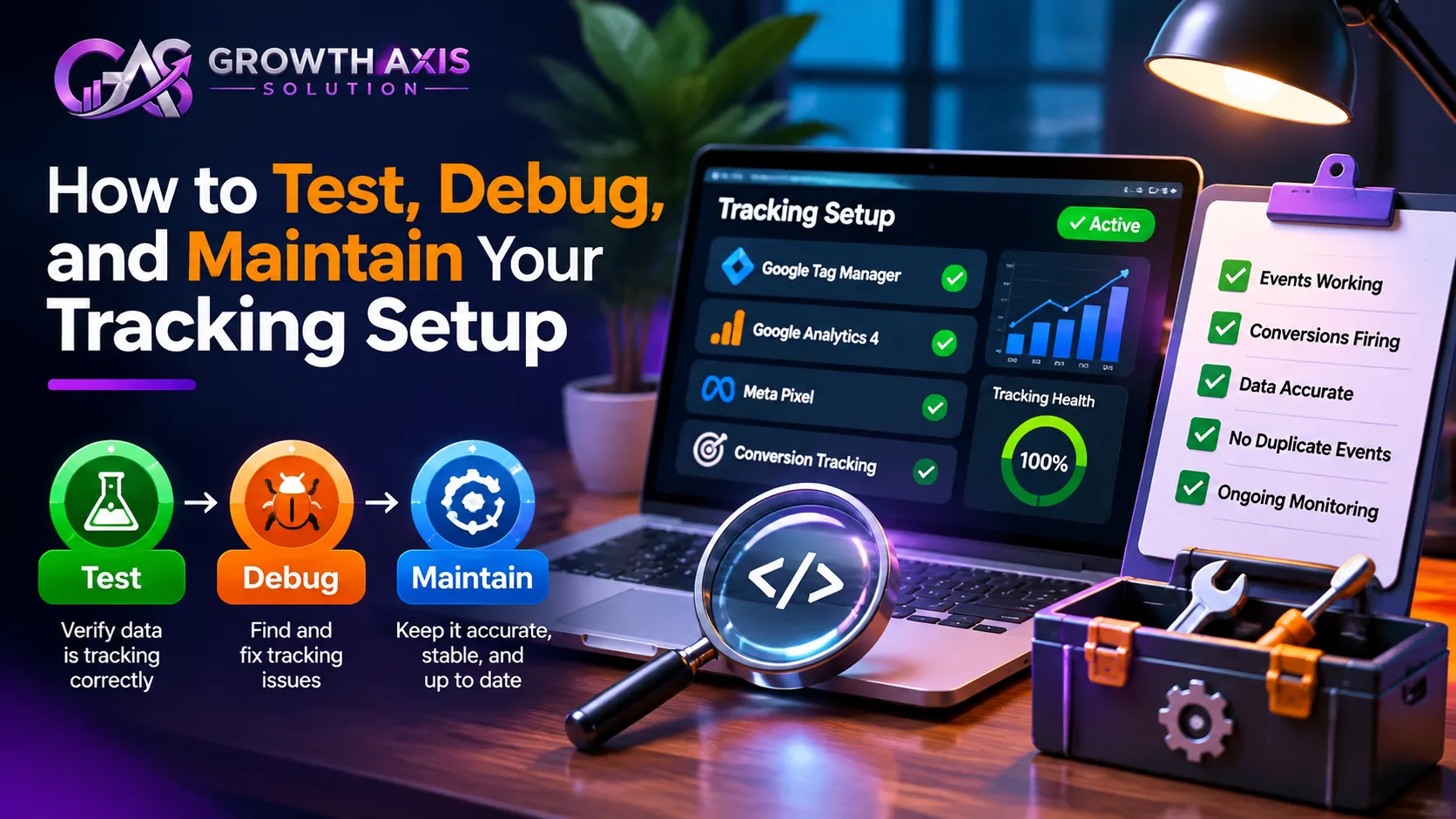
Testing should cover the entire journey from the original customer interaction to the final reporting destination.
Start with a controlled test purchase or lead submission.
Confirm that the website generates the correct event and that the event reaches the server container.
Next, inspect the server preview to identify which client claims the request and which tags execute.
Check the destination platform separately.
For GA4, use DebugView and relevant event reports. For Google Ads, review conversion diagnostics and conversion action status. For Meta, use Events Manager and Test Events.
Compare transaction IDs and purchase values against the source system.
Establish a reliable event audit
Create a documented event specification that defines each event name, trigger, required parameters, source, destination, consent requirements, and deduplication identifier.
This makes future changes easier to review.
Monitor important discrepancies
Compare website and server logs with analytics and advertising reports.
A difference does not automatically indicate a technical failure because reporting windows, attribution rules, modeling, consent, and platform processing can affect the results.
Investigate meaningful changes instead of expecting every platform to display identical numbers.
Review after website changes
Website redesigns, checkout updates, plugin installations, and ecommerce integrations can change how events fire.
Repeat your tests after major releases.
A properly maintained server-side tracking system should be treated as part of the marketing infrastructure rather than a one-time installation.
Conclusion
Server-side tracking gives businesses greater control over conversion data, event processing, and marketing integrations. However, successful implementation requires accurate event architecture, reliable deduplication, technical monitoring, and privacy-aware configuration. Start with your most important conversions, validate every destination, and expand gradually. Contact GrowthAxis Solutions to improve your marketing measurement strategy.
Frequently Asked Questions
1. What is server-side tracking in digital marketing?
Server-side tracking is a measurement approach that processes website or application events through a server before forwarding appropriate information to analytics and advertising platforms.
It can support GA4, Google Ads, Meta Conversions API, and other destinations. Businesses use it to improve control over event processing, reduce certain browser-related tracking losses, and manage customer data more carefully.
2. Is server-side tracking better than client-side tracking?
Neither approach is universally better.
Client-side tracking provides useful browser information, including page views, clicks, referrers, and UTM parameters.
Server-side tracking offers greater control over event validation, filtering, and destination routing.
Many businesses benefit from combining both approaches rather than replacing browser tracking entirely.
3. Does server-side tracking bypass ad blockers?
Not completely.
A first-party server endpoint can reduce some tracking losses caused by third-party request blocking, but browser extensions and privacy protections can also block requests to known tracking endpoints.
If an event never reaches the website or server, the server cannot automatically recover it.
The effectiveness depends on the architecture and the browser environment.
4. What is Google Tag Manager server-side tracking?
Google Tag Manager server-side tracking uses a web container and a server container to process measurement events.
The web container sends events to a server environment, where clients interpret requests and configured tags forward appropriate information to analytics and advertising destinations.
Businesses can deploy the tagging server through Google Cloud Run or another supported hosting environment.
5. How does server-side tracking work with Google Analytics 4?
GA4 can receive events through a server-side Google Tag Manager container or supported backend integrations using the Measurement Protocol.
The implementation should preserve relevant event parameters, timestamps, client identifiers, and consent information.
Businesses should also ensure that no prohibited personally identifiable information reaches GA4.
6. What is the difference between Meta Pixel and Conversions API?
Meta Pixel collects supported website events through the visitor’s browser.
Conversions API sends eligible events from a server environment to Meta.
Businesses can use both methods together to improve event delivery, provided they configure matching event names and IDs to prevent duplicate conversions.
7. Is server-side tracking GDPR compliant?
Server-side tracking is not automatically GDPR compliant.
Businesses must identify an appropriate legal basis, respect applicable consent requirements, explain their data practices, minimize collected information, and apply suitable security and retention controls.
Moving processing to a server does not remove privacy obligations. Requirements also vary between jurisdictions.
8. Can Shopify support server-side tracking?
Yes. Shopify supports server pixels through eligible integrations, alongside its web pixel and customer events infrastructure.
Merchants can manage pixels through Settings and Customer Events in Shopify Admin.
Server-side integrations can improve event delivery, but they must respect Shopify’s customer privacy settings and applicable consent requirements.
9. How much does server-side tracking cost?
Costs vary according to hosting, event volume, platform integrations, monitoring, and technical maintenance.
A basic implementation may use a relatively inexpensive managed hosting plan, while complex ecommerce and enterprise systems may require additional infrastructure and professional support.
Compare total implementation and maintenance costs rather than choosing a provider solely by its subscription price.
10. Which server-side tracking tools are best for small businesses?
Google Tag Manager Server-Side with a managed hosting provider such as Stape or TAGGRS can suit businesses that want flexibility and have access to technical support.
Shopify-focused stores may prefer dedicated ecommerce integrations such as Elevar or Littledata.
Businesses with complex customer data requirements may evaluate platforms such as Twilio Segment or CustomerLabs.
The best option depends on event volume, destinations, technical resources, privacy requirements, and budget.